Table of contents
- What are digital events?
- What makes a good digital event?
- Your goals: What digital events can be used for
- Depending on what you plan to do, the structure and what is important for your event in the preparation process is completely different.
- How is a digital event planned?
- The most important part of the planning: Tech rehearsals. And lots of them!
- How can digital events be designed interactively?
- What providers & platforms are available for digital events?
- How do you best promote your digital event?
- More ideas for digital events
Since the onset of Corona at the latest, digital events have become widespread and popular alternative to on-site events and they are here to stay. Victoria Weber, host of the Creatorway Podcast, explains in this guest blog what you need to review in your planning process, how you can make your event interactive despite the lack of physical proximity interactively design how you can do it, and what tools are in vogue. Let's get started!
What are digital events?
A digital event is an occurrence that takes place online (or at least partially - we'll get to the hybrids!) and has a beginning and an end. Since the whole thing is digital, your participants don't have to travel, but can watch or participate from anywhere in the world. Normally, digital events therefore have a potentially larger audience because no one drops out for reasons such as “I couldn't find a cheap flight”.
One of the key differences from physical events is that you don't have to “pick up” anyone on the spot. Hence, it's much less about the spatial atmosphere. However, a digital event also has its challenges here. Especially if your users can leave the virtual space at any time, the experience becomes all the more important.
There are countless types of digital events, but most of them are digital versions of formats you are already familiar with. Thus, a seminar's equivalent is a
Webinar and a conference's equivalent is an
Online conference. In theory, many classic event formats can be represented in an online version, although there are also types of events that only originated online.
Recommended Video Conferencing Software
Recommendable video conferencing tools can be found on our software comparison platform OMR Reviews. There we have listed over 90 video conferencing solutions that enable efficient and flexible collaboration, even without being in the same location. So take a look and compare the software with the help of authentic and verified user reviews:
What makes a good digital event?
For participants: The Experience & the Contacts
Which events do participants remember? Ones that provided an Experience.
You therefore need to think about how you can create a captivating Atmosphere virtually - without the participants being physically present. If you manage to engage as many senses as possible during the event, it has a high chance of success.
- What helps in this regard is proximity, a “Community-Feeling”, that is, that your participants feel like they are part of something bigger.
- Your viewers should not just be passive observers, but should be as much actively involved as possible.
- If you are planning an event with informational content, it would be best if the participants can implement (at least part of it) directly, instead of just learning theory in a frontal teaching format.
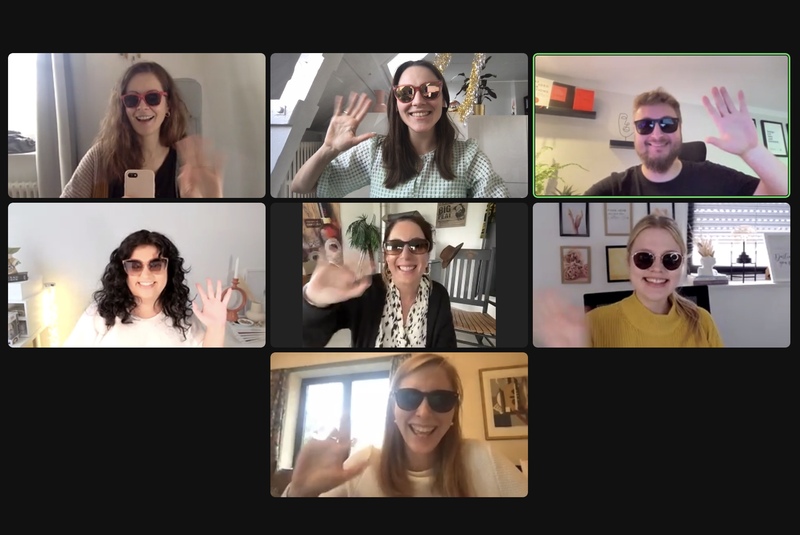
Source: own photo
For you as a host: Achieving Your Goals
As a host, it is important that you do not just host an event without knowing where it should lead you. Your set
goal defines your preparation and your
KPIs (Key Performance Indicators).
A strong event for you therefore means that you know, what you want to achieve through the event. These can be very different things:
Your goals: What digital events can be used for
You can brand yourself as a Thought Leader in your industry and share special approaches within your topics.
- The digital event can serve as a Sales engine for a (new) product or offer .
- You can position yourself as an attractive employer to potential candidates.
- Through your digital event, you can showcase your Expertise
- to potential customers.You can build a Community
- through events or event series.You can bring your employees, a large part of whom are working from home, closer together and host digital employee events
- .You can host Continuing education
- online and thus save costs for physical training - with simultaneous geographical flexibility.
Depending on what you plan to do, the structure and what is important for your event in the preparation process is completely different.
What are the benefits of digital events?
Digital events have a much lower entry barrier
than “physical” events - both for you as a host and for the participants. You save all the logistic challenges that come with a physical event: Catering, toilets, renting rooms and above all - finding a really good location. The expenses
(and also the lead time) are therefore much lower because you do not have the budget items that often make physical events expensive, apart from technology, speaker fees and advertising for the event.Also, there is the advantage that customer groups that usually avoid larger events also come into consideration as event participants: Introverted people can join quietly, and you can also appeal to participants who do not like crowds or small talk. It is also possible to include both speakers and participants who cannot travel for various reasons, as part of the event. Possible stumbling blocks, like sick children, canceled flights or of course a pandemic are eliminated.
How is a digital event planned?
In our own company, we have held only free webinars with several hundred registrations over a long period of time - and only then did we organize our first paid online conference for the first time. From our own experience we know: there is a big difference whether you offer your event for a fee or free of charge .
- The higher the ticket price, the higher is usually also the ad-budget, if you want to run ads.
- You need to decide whether the event is supposed to financially support itself or whether it doesn't need to generate profits to fulfill your goals strategically. An employee event usually aims to motivate your employees, get to know each other and bind them to your company - and of course not to generate direct profit. A product launch or a big online congress, on the other hand, looks quite different.
- Alternatives to high ticket prices for participants are - as with physical events - sponsors and partnerships with other companies that would like to have access to your target audience.
So, the first thing you should do, after you have determined your goal for the online event, is to establish how it will be financed and whether it will cost the participants anything.
The next step is to look at who needs to be involved. It makes a big difference whether you only have internal speakers or you have to coordinate with external people. The more speakers involved, the more lead time you should plan. Don't underestimate how full the calendars of good speakers are or how difficult it is to book sought-after experts at certain times.
Here's how you can proceed with the planning:
Step 1 - Determine all data and block them
First you need to determine when your event is to take place. For physical events, this is often dependent on the location - you do not have this problem digitally. Still, you should keep a few things in mind:
- Are there alternative events, that are taking place for your target group at the same time (or the day before/after)?
- Are there any holidays at that time? (If you're targeting a German-speaking audience, you also have to consider the holidays of the different federal states)
Step 2 - ask speakers, workshop leaders or moderators
A good line-up is the key to your event. If you are hosting a webinar on your own, the organization is obviously much simpler in terms of personnel than a virtual conference with many speakers. So it is important that you contact all the people that you would like to have with you as soon as possible.
In order to avoid misunderstandings, it is always recommended to prepare a Speaker Agreement , i.e., an agreement of collaboration. The most important points in it are:
- What is expected, what is the scope of the contribution and what compensation have you agreed upon?
- When does the speaker need to be present, by when should any presentations be submitted for your approval?
- Should/may the speakers advertise the conference and if so, within which framework?
- Are there recordings and if so, to what extent may they be used commercially by the parties involved?
- May the speaker's content be given at other events or is the presentation/workshop to be created exclusively for your event?
The more precisely you define what everything should look like, the fewer potential conflict points there are later on.
Step 3: Define the schedule and start project management
Once you have defined the key data from step #1 and #2, it goes to the practical implementation. From now on, classic project management is required:
- You make sure that the event is advertised and that the goals regarding the ticket sales/registrations are met.
- Deadline management: You make sure that all timelines are adhered to , speaker down payments are made and presentations are submitted for review in good time
In order to plan the event as smoothly as possible, it usually helps to have a main person responsible, who manages the event. Even if you have a whole team for planning, it helps to have someone who makes the final decisions.
The most important part of the planning: Tech rehearsals. And lots of them!
No matter how many events you have already held - online rule:
Test, test, test! So a few days before the virtual event at the latest you should do a comprehensive
tech check with all speakers, panel participants or workshop leaders. No matter which
video conference tool you choose - there are always some details that get forgotten during the organization.
From experience we know that even with the greatest routine, technical “little problems” can occur that you did not expect. When setting up (or resetting) the webinar function in
Zoom, the chat for participants is by default deactivated and cannot be changed live. It is therefore essential to
simulate a digital event (also with participants) BEFOREHAND. Even if the participants are used to something not working from informal calls - at a properly organized event they expect professionalism.
Tip 1: Better to communicate too much than too little - but clear
Since you cannot set up “signposts” in the room at a digital event to help with questions, it is important to communicate again and again, to whom people can turn for questions. Especially since many e-mail programs are getting stricter and a lot ends up in the spam mailbox, it helps you to have alternative ways to keep your participants up to date. Which leads us to the next tip:
Tip 2: Make it super easy for your participants (also on the day of the event itself!)
The easier it is for your participants to find their way around, the better. For example, for online conferences it is advantageous to have a central event page rather than constantly sending new Zoom links. One of your team members can then continuously update this live page, post new information online, post live sessions, upload photo impressions and more. It also helps to have someone who monitors e-mails and social media for potential problems or access questions during the event.
Alternatively, you can set up
complementary communication channels such as a
Slack -channel, a group at
Discord or even Facebook Groups. For some events it's advisable to send SMS to the participants to let them know when new sessions start. But this only works if you have previously collected the phone numbers and obtained permission.
How can digital events be designed interactively?
If all they want to see is “info with images and sound”, your participants can also watch YouTube videos. Therefore, you need to do a bit more to give your event an event-like character. Therefore, it helps to think about what elements you can incorporate to give your event that kind of feeling that makes it special.
Let the guiding rule be: No (exclusively) frontal “teaching”. Since your audience is in the office or participating from home, they are always at risk of being distracted. So, if you are planning 2-hour lectures without any interruptions, it will be difficult to keep people engaged.
Therefore, it is important to
involve participants as much as possible. A
Live chat is a classic solution to create
interaction, but don't forget to actively call people to respond to certain things. Tools such as Zoom or Webinar platforms like
WebinarJam are appropriate for this purpose. Also, Discord or
Webex allows your viewers to discuss live in the chat.
Breaking up Larger Groups: Many tools like
ClickMeeting allow you to divide your audience into smaller sub-groups, which can then discuss a specific topic or solve a task. In so-called
Breakout-Sessions you can let them implement the learned or stimulated things directly.
Brainstorming & Developing Ideas Together
If your event should stimulate implementation, it is best to do it directly during the event. There are some programs for this which make it really easy.
Miro is one of the tools that has particularly stood out in this regard. It brought the classic “post-it-notesing” online, so that your participants can get involved there live. You can therefore call on participants to add their own ideas or post their opinion on certain ideas.
Which is the
best software for your video conference depends on which features are important to you. The best-known tools are
Zoom,
Microsoft Teams and
Google Meet which, while they have the same core features, are different in details. Not many people have heard of Discord compared to the more well-known tools, but it is currently developing a rapid popularity, also in larger companies and for private groups.
As always when it comes to promotion: it all depends on
who you want to address. If you want to invite existing customers, your existing
E-Mail list is the best source for participants - but if you want to acquire new customers, you need to invest.
Think about where the target group you want to reach is moving and which ads are therefore suitable. Classic ads on
Google Ads, Facebook/Instagram, LinkedIn or also on TikTok can be optimized for event purchases. Plan enough time for the test phases, as often different target groups have to be tested until the results are satisfactory.
Tip: Use the momentum with multiple events
If you already know when the next event will take place - use the euphoria of the currently running event to already sell tickets for the next one. On the last day of the event, you can make an appealing offer. This has a double benefit: Those who have seen on social media “how great it was” and have developed FOMO, will not want to miss it next time around. And those you have already convinced as participants are particularly euphoric just before the event ends.
More ideas for digital events
Everything that makes events special and “human” helps you to get satisfied participants. These three ideas give your event an additional boost:
Live raffles: One idea is to announce at the beginning of the event that you should write a certain sentence in the chat when a “code word” falls. Your listeners will definitely pay more attention to you. Or you give prizes for those who were present at the most sessions, commented the most in chat or contributed the most to your brainstorming with Miro. Think about what you want to incent, and think about what prize you would give for the goal of your event.
Virtual after-show parties: At our own online conference “Hello Designer” we decided to throw a little after-show party via Zoom. Even though not all speakers could be there, it offered the opportunity to talk more leisurely and discuss the event from a speakers' point of view after the tight program. In general, this kind of informal opportunities are often missing in virtual events. So, you better think of how you can bring subtlecasual formats into the digital world. This way, you allow your participants to learn more about others and network.
Feedback questions: After the event is before the event! It pays off to get feedback a few days after the event. As long as the memory is fresh, the feedback is particularly useful and detailed. Even if not all respond and feedbacks can be distorted (the particularly enthusiastic and the particularly irritated often respond the most) - it helps you to get better. Tools to ask for feedback easily are for example
Microsoft Forms or
Google Forms . Shorter forms generally work better, as they do not mean too much work for the participants and more people actually send them in.
Define moderators: The bigger the number of participants, the more active the chat moderation needs to be. You normally can't handle this on your own while you are giving a virtual lecture at the same time. Communicate clearly what is allowed at the event from the start, and when you reserve the right to remove participants despite paid tickets from the chat. In real life they would not shout “boo” so quickly - online, on the other hand, they often forget that the people they criticize are real. Therefore, it is important that you have chat moderators at high audience sizes, who have an eye on the mood of the participants and can remove troublemakers if necessary. You are responsible for ensuring that the speakers are not inappropriately treated in the chat and that everyone has a good time.
With this guide, hopefully nothing should go wrong anymore. The one thing you should definitely take away for your digital event is: Better one tech check too many than one too few.
Good luck planning your first or next virtual event!


