These are the 8 Best Online Proofing Softwares for Your Business
Pia Heßler6/16/2026
With these online proofing softwares, creative teams can take off
Table of contents
- What is Online Proofing?
- Why is Online Proofing needed?
- How does Online-Proofing work?
- Who is Online Proofing suitable for?
- What benefits do Online-Proofing-Softwares offer?
- The 7 best Online-Proofing-Softwares
- 1. Frontify
- 2. empower
- 3. Filestage
- 4. Uberall CoreX
- You can benefit from these features with the all-rounder:
- Censhare Features
- Cision Features
- Fazit: Jede*r Content-Produzent*in sollte eine Online-Proofing-Software nutzen
Inflation in Germany has reached a peak value for the first time in a long time. In these times, one thing is particularly important for many companies: optimal resource utilization to save costs. Efficient communication contributes significantly to this: A recent Filestage study shows that projects are completed faster when team members do not constantly have to search for emails in their inbox. This is just one of many reasons why online proofing software can optimize your resource usage.
In this article you will learn exactly what an online proofing software is, plus you will receive helpful tips and on top of that there is the tool recommendation from the OMR community.
Recommended Brand Management Software
You can find more recommended brand management tools on our comparison platform OMR Reviews. We have listed over 20 tools for small and medium-sized companies, start-ups and large corporations that can be used to manage your brand identity and communicate it across multiple channels. So take a look and compare the software with the help of authentic and verified user reviews:
What is Online Proofing?
The English term Proofing can be translated as final editing or final control. With Online Proofing, the checking and approval of work steps takes place online and mostly automatically. Creative teams share and evaluate their drafts with each other. All feedback and all approvals are given online.
Why is Online Proofing needed?
Originally, proofing was mainly relevant for the publishing and advertising industry. Initially, the exchange took place face-to-face. Later, feedback rounds via email were added. Both versions are cumbersome, time-consuming and prone to errors. With Online Proofing, processing and communication are digital, traceable and efficient.
How does Online-Proofing work?
In online proofing, the data is made available on a platform that all parties involved can access via the Internet. Who does what and when, as well as the project status, are automatically documented. Those responsible receive an automated reminder for outstanding tasks.
Online Proofing includes:
- Data centralization: Users can access files of an online proofing platform via the browser and share their projects with the team.
- Collaboration: Creative teams work together directly in a file (e.g. on texts, videos, designs and websites). Drafts are commented and suggestions are discussed in real time.
- Tracking: The tracking is automatic and in real time.
- Reminder Management: Users receive automatic reminders to meet deadlines.
- Versioning: Drafts are automatically versioned, so that all users always work in the latest version.
Who is Online Proofing suitable for?
Nowadays almost every company is also a content producer. Online Proofing is therefore now relevant regardless of industry and is largely used by marketing departments, web designers, authors, photographers, design studios, video production companies and agencies. Both small teams, remote teams and medium-sized producers as well as enterprises optimize their processes with online proofing platforms.
What benefits do Online-Proofing-Softwares offer?
- Fast Decisions: All feedback comes together at the scene of the event.
- Asset Management: All assets are located in one place and are easily accessible to all users.
- Fast Processing: Streamlined processes are shorter and less prone to errors.
- Low Costs: Centralized communication and processing improves quality and reduces throughput time.
The 7 best Online-Proofing-Softwares
On OMR Reviews you will find a lot of helpful tools for your Brand-Management. These are currently the 7 most popular online proofing software based on verified user ratings and experiences:
 Frontify
 empower
 Filestage
 Uberall
 RELATIAL_
 Censhare
 Cision
1. Frontify

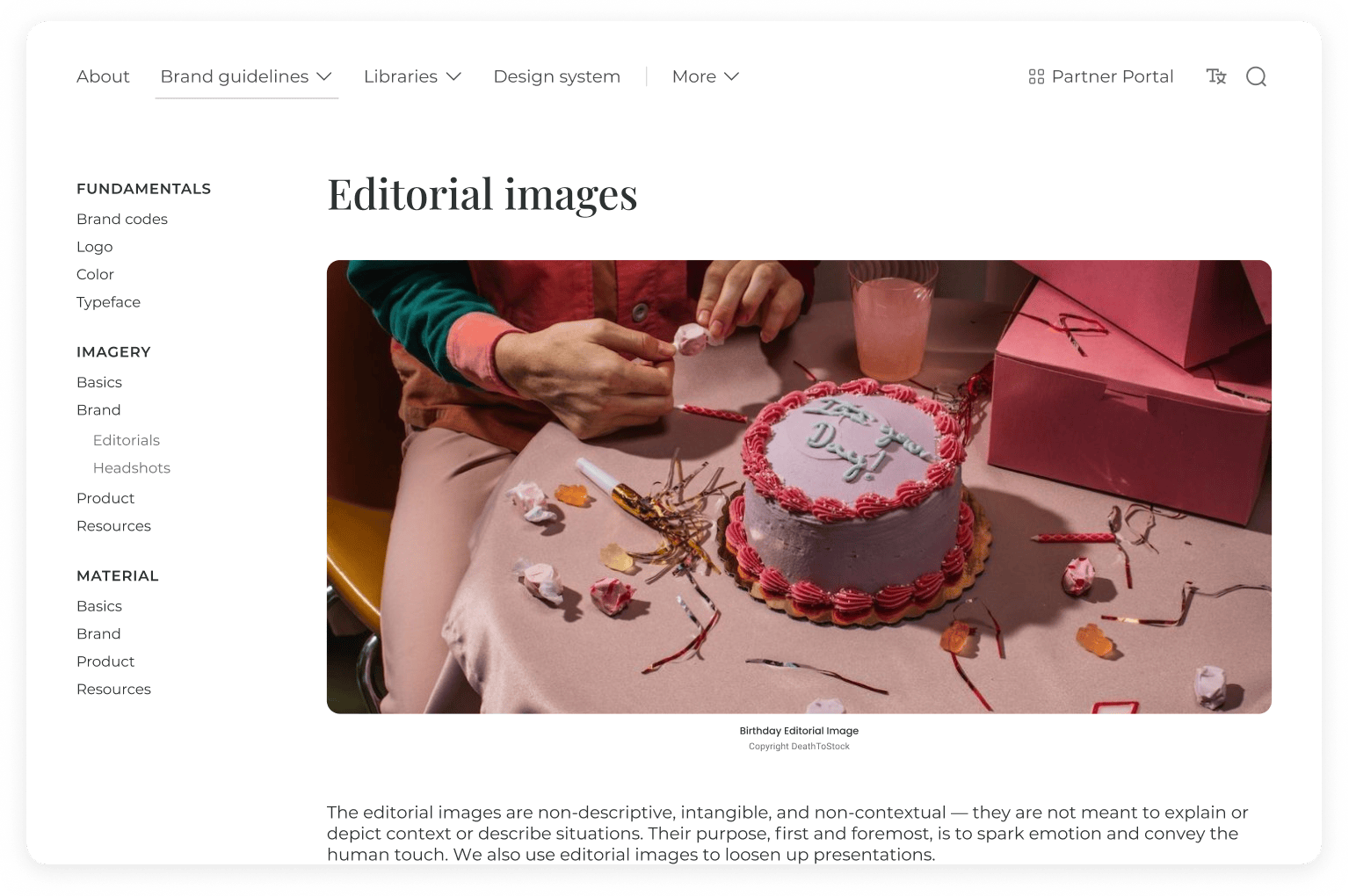
In 2012, Roger Dudler developed the concept for Frontify. The software is designed to facilitate collaboration between branding teams. With the help of well-known investors, the success story of the then Swiss start-up took off in 2013. Their goal is and remains to provide first-class brand management solutions. For this, the company continuously develops its offer.
Frontify features
Features of the software solution with the focus on branding teams:
- Digital Asset Management: All digital resources are located on a central platform.
- Brand Guidelines: Digital, easily accessible and editable guidelines keep users up to date. They ensure a uniform and time-saving implementation of brand guidelines.
- Creative Collaboration: Teams work seamlessly together thanks to efficient workflows and project overviews - anytime and from anywhere.
- Digital & Print Templates: Editable design templates ensure compliance with brand guidelines without restricting creativity.
- Integrations: Frontify is compatible with all other tools.
- Frontify Boost: The light version was specifically designed for smaller teams.
Frontify Prices
You can test the online proofing software for free or book a demo version. Frontify charges monthly per active user. Detailed Price information from Frontify can be obtained on request via the website.
Frontify Alternatives
On OMR Reviews you will find an overview of the Frontify Alternatives and can select the appropriate brand management tool for you using the verified ratings and experience reports.
2. empower

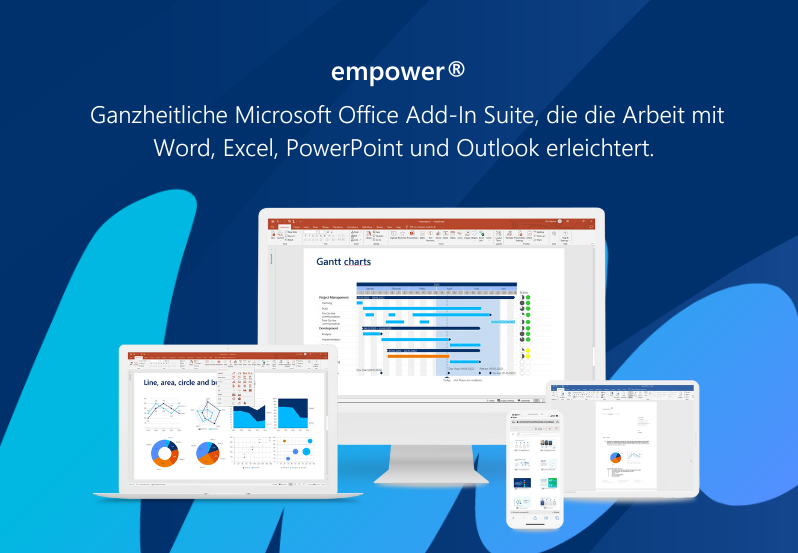
empower is a software suite for Microsoft 365 that helps you in creating brand-compliant office documents. Since 2005, the empower GmbH has been offering office solutions that are supposed to make the work with THE software in offices all over the world – Microsoft Office – easier and more efficient.
empower Features
Features of the MS Office addition:
- Brand Control: The tool ensures that brands are correctly represented in documents such as presentations, email signatures, Word templates and Google images.
- Content Creation: Teams quickly and easily create and edit presentations (e.g. content, diagrams, objects with Excel link, formatting).
- Content Enablement: Teams can directly access the right content without searching through various applications and network drives for the latest version.
- Document Automation: Teams generate complex documents from drafts (e.g. offers, contracts, company and product presentations).
- empower® Integrations: empower is compatible with all tools for DAM, SharePoint, PIM and custom extensions.
empower Prices
There are no setup fees with empower. The price for small teams starts at €9.99 monthly per person and includes 1 to 50 licenses. More information about the empower prices and user reviews with price reference can be found on OMR Reviews.
empower Alternatives
On OMR Reviews you will find an overview of the empower Alternatives and can select the appropriate brand management tool for you using the verified ratings and experience reports.
3. Filestage
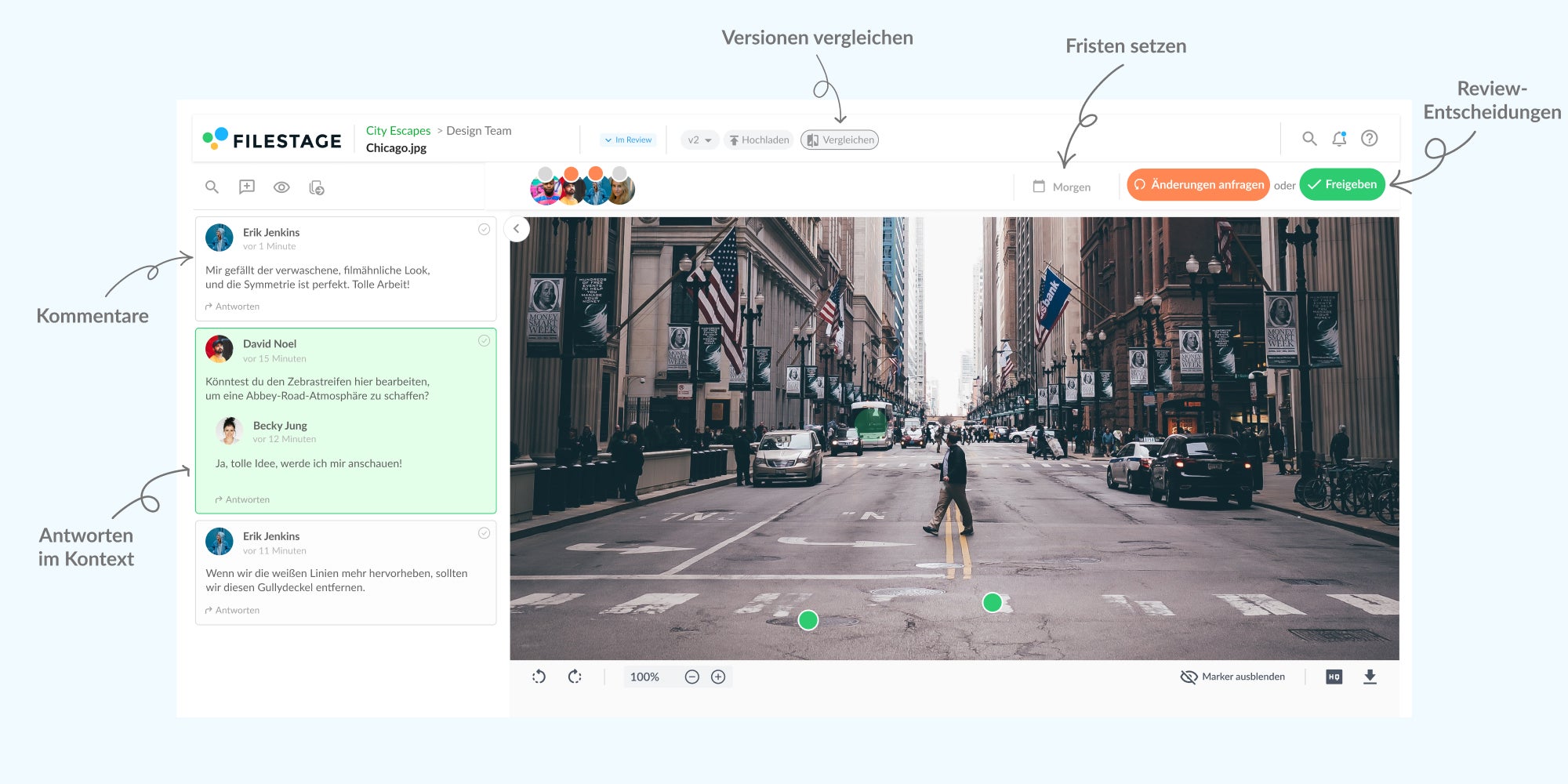
Filestage is a content feedback platform. It was developed in 2014 to make approval processes clearer, faster and more collaborative. Through the collaboration with big brands and agencies, the founders Niklas Dorn, Maël Frize and Simon Kontschak realized that managing feedback is just the tip of the iceberg. The subsequent further development measures turned the feedback tool into a comprehensive review and approval platform. According to their own statements, drafts are released with Filestage in 92 percent of the cases in only two feedback rounds.
Filestage Features
Functions of the online proofing software for small and large companies:
- Project and Workflow Management: Teams set up effective project management workflows for approving.
- File Proofing: Project members give feedback directly in the designs and access intelligent annotation tools.
- Insights: Employees analyze the review and approval process to continuously increase productivity.
- Automation: Triggers trigger defined actions. Project templates can contain automations.
- Filestage Integrations and API: Filestage is compatible with all other tools.
Filestage Prices
Use Filestage for free
For freelancers and small teams with any number of team members, Filestage is completely free. In the free version, you are limited to two active projects, two review steps and three sections. The number of data, versions and reviewers are not limited.
Filestage paid versions
You can test Filestage for free. Larger teams can choose between two packages: Basic and Professional. Filestage Basic is suitable for teams that want to get feedback for several (up to 10 active) simultaneous projects and costs €49 monthly.
Filestage Professional is ideal for teams who want to access further functions. With this package you can process 25 active projects, carry out three review steps, compare different versions, set automations and choose two project templates. For this, €249 are charged. On request you will receive an offer for more active projects, review steps, sections and more.
More information about the Filestage prices and user reviews with price reference can be found on OMR Reviews.
Filestage Alternatives
On OMR Reviews you will find an overview of the Filestage Alternatives and can select the appropriate brand management tool for you using the verified ratings and experience reports.
4. Uberall CoreX
Uberall has been around since 2013 and aims to increase your visibility - online and on site. The tool supports you in controlling a hybrid customer journey and thus dedicates itself to your online customers and your shop visitors from discovering your shop to recommending and brand loyalty.
Uberall CoreX Features
Video insert: online proofing software uberall corex features
With these functions, the tool helps especially marketing and customer experience teams to stand out, convince and connect:
- Local SEO: The tool helps you to appear in the top results.
- Real-time data update : Real-time monitoring and automated publications on relevant platforms prevent you from slipping in the search ranking. Voice Search: Consumers can find you via voice search via Siri, Alexa and Co.
- DigitalShop Window
- : The tool ensures that your digital shop windows convince with an active review management, appealing social posts and pictures. BuildingTrust
- : Teams respond to reviews to improve their ranking and reputation. CreatingPurchase incentives
- : Teams attract (new) customers specifically through special offers and useful information (e.g. about local events). UnderstandingCustomers
- : With AI and machine learning, the tool supports your teams to learn more about the customer experiences. Uberall CoreX Prices You can book a free live demo. Uberall CoreX consists of 3 parts or focal points: Get Found (be found by the target group), Be Chosen (stand out from the local competition) and Thrive (optimize hybrid customer journey and create seamless CX). The CoreX Prices for all 3 packages can be obtained on request via the Uberall CoreX website.
Uberall CoreX Alternatives
On OMR Reviews you will find an overview of the Uberall CoreX Alternatives and can select the appropriate brand management tool for you using the verified ratings and experience reports.
5. RELATIAL_
You can benefit from these features with the all-rounder:

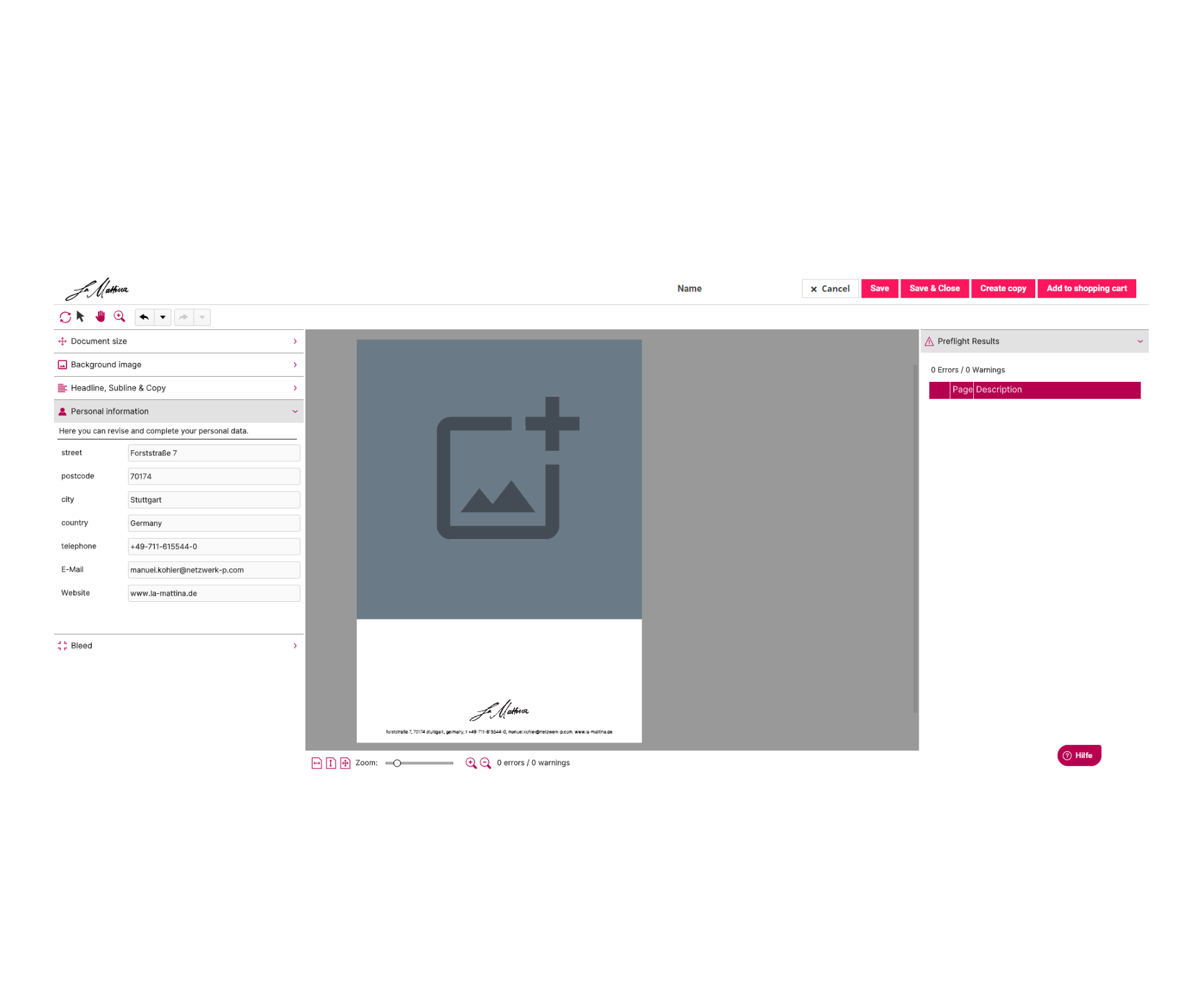
CentralizationRELATIAL_: Teams connect all (marketing) systems together.
User and Company Management
: Project members manage organizational units, users and centrally control the different rights.
- Project and Application Management: Employees manage access to applications, projects and more directly in the backend.
- Digital Asset Management: Teams manage assets and metadata (e.g. text information in different variants), regulate quality assurance processes and approval workflows.
- CHILI Publish Integration (Template Editor): The online editor CHILI publisher helps you to create smart templates. In the editor, users individualize e.g. marketing materials, personalize mailings or adapt ads.
- Channel-specific data output: With Relatial_ everything is possible from web-optimized banner or print data output over ads for the daily newspaper to the output of print data for roll-ups to the transfer of data to Web-to-Print partners.
- Promotional goods shop: Users order physical articles, download articles or templates directly in the shop via Magento 2.
- Approval workflows for templates and orders: Teams can individually define for users and articles, whether supervisors still need to check and approve documents.
- Sharing & Collaboration: Project members work together on documents and can send individualized and adapted documents to others.
- Campaign Management: Employees combine various articles and templates into a campaign, define campaign descriptions, timelines for individual work steps and authorizations.
- Demand Quantity Query: Through the demand quantity queries, teams determine the required quantity and produce exactly according to demand.
- Budget and Quantity Contingent Management: Users define who can order which quantities or within which budget framework.
- Product Sets: With product sets, employees can add or remove set components flexibly within the editor. The article costs adjust automatically.
- Booking Function: In one step, users book events with various event options, customizations and a delivery management on site.
- Easy Update Function for Templates and Template Editing History: With a few clicks, administrators can carry out changes like updated legal regulations across users. Administrators see the complete history of the master templates and their adaptations.
- Identity Provider Connection: The central user managements OKTA, SAML2 and Microsoft AD are included.
- Customer-specific system interfaces: (Merchandise management) systems are connected to the marketing portal via APIs.
- Roles and Rights Management: Users detail hierarchies as well as complex dealer and franchise structures.
- Insights: Employees learn how users act and which materials they use for their activities.
- RELATIAL_ PricesYou can book a free demo appointment. RELATIAL_ offers you three options: Basic, Advanced and Custom. Basic is the cheapest variant and forms the foundation for your organization in marketing. Users can create individualized marketing materials and order promotional items in your webshop. The package includes user and company management, project and application management, the template editor, the channel-specific data output and the advertising goods shop. You get this range of functions for 1,995 € monthly.
- In the Advanced package, you can manage complex processes for 2,450 € monthly. You have access to approval workflows, Sharing & Collaboration, campaign management, demand quantity queries, budget and quantity contingency management, product sets, booking and easy update functions.Custom includes the complete range of functions of Relatial_ - additionally thus the template editing history, identity provider connection, customer-specific system interfaces and individual features. Prices for this can be obtained on request.
More information about the
RELATIAL_ Prices
and user reviews with price reference can be found on OMR Reviews.
RELATIAL_ Alternatives
On OMR Reviews you will find an overview of the RELATIAL_ Alternatives and can select the appropriate brand management tool for you using the verified ratings and experience reports.
6. Censhare
is an Omnichannel Content Platform, that should help you with the cross-channel and cross-country content creation and management. The tool has been on the market for 20 years. At the beginning, the platform was mainly intended for publishing companies, but with the digital change, the customer circle also expanded to include all sectors.
Censhare Features
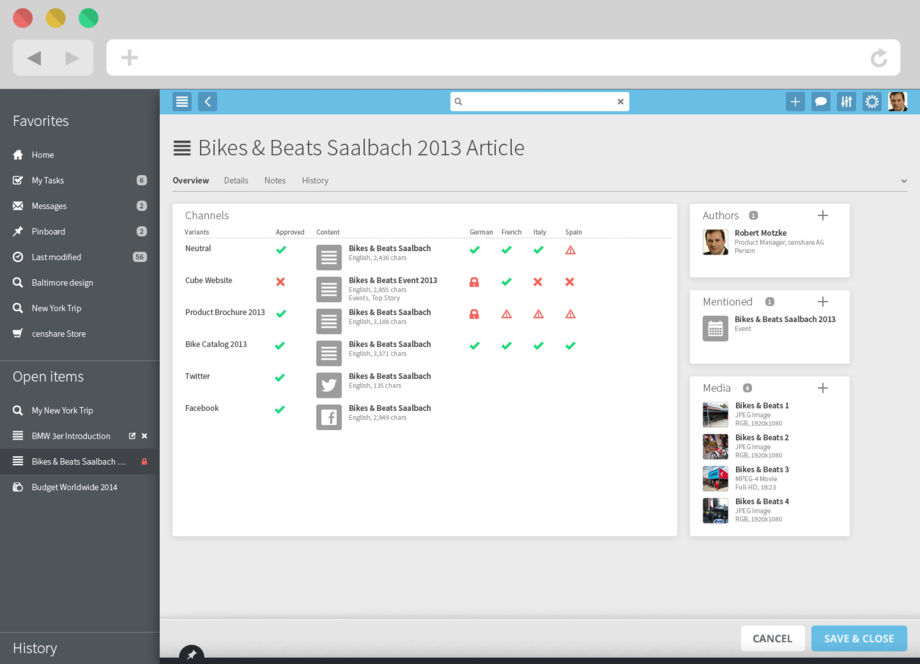
CenshareThe Omnichannel Content Platform consists of a Product Information Management, a
Digital Asset Management
and a Content Management System:Central Content Management: Teams manage their content in Censhare once for all channels (e.g. content for e-commerce, online and print marketing and digital signages)Content Management and Operations: The collaboration between internal and external team members is facilitated by flexible workflows.
- PIM: The product data is centrally available for all.
- DAM: The digital assets are centrally available for all.
- CMS: Teams create their content once media-neutral and convert it for respective channels.
- Additional modules: Additional modules like Headless Content Management, Print Production Management, Translation & Localization, Variant Management & Targeting, Marketing Project Management, Web Content Management and Connectivity are available.
- Integration with Tools, Channels and Technologies: Censhare is compatible with all other tools, data models and connectors.
- Censhare PricesCenshare is available as a free demo version.
- The Censhare Prices
for the software can be obtained on request via the Censhare website.
Censhare Alternatives On OMR Reviews you will find an overview of the Censhare Alternatives and can select the appropriate brand management tool for you using the verified ratings and experience reports.
7. Cision
The roots of go far back. They have had a name in the communication industry for 150 years. It all started in 1876, when the company was founded as Svenska Telegrambyran, a Swedish news agency. In 2007, Cision's campaign management software (CisionPoint) was introduced.Cision is still growing. Most recently - in 2021 - the company bought the world's leading provider of digital consumer information and social media listening Brandwatch. The aim of the online proofing software is the optimization of your influencer search.
Cision Features
Features to optimize your PR and communication work with Cision:CisionOnline and Print Monitoring
: Teams follow the spread of their stories in real time. Cision observes the reactions both online (e.g. in social networks, forums and on review sites) and in print media.
Dispatch of press releases
: Users communicate with the Wire Dispatch from Cision PR Newswire. Via this highly flexible service, Cision sends press releases to one of the largest global distribution networks, which includes journalists, news agencies and content partners (delivery to more than 170 countries).
- Expert Insights for PR analysis: Based on the team's goals, experts create analyses in the desired scope using AI technology and human intelligence.
- ROI Determination (Return on Investment): Users create analysis reports in the Cision Communications Cloud and send them to desired persons.
- Influencer and Media Database: Teams access a media and journalist database with more than 850,000 entries and control their entire multi-channel communication via a single platform.
- Cision PricesYou can book a free demo version. Cision is available as a paid version. The
- Cision Prices can be obtained on request via the Cision website.
Cision Alternatives
On OMR Reviews you will find an overview of the Cision Alternatives and can select the appropriate brand management tool for you using the verified ratings and experience reports.
Conclusion: Every content producer should use an online proofing software
The question is not whether an online proofing software facilitates the collaboration within your creative team, but which tool gives you the most advantages. As you can see, there are a number of intuitive softwares. Which one suits you and your team best depends on your company. As you could already read, the presented tools differ extremely in terms of range of functions. We recommend you to take a closer look at the online proofing softwares and to deal with the free test or demo versions of your favourite tools. Ultimately, the software has to support you and it does this especially when your work suddenly goes quickly and easily. Enjoy reading and testing!Cision-Alternativen und kannst mithilfe der verifizierten Bewertungen und Erfahrungsberichte das passende Brand-Management-Tool für dich auswählen.
Fazit: Jede*r Content-Produzent*in sollte eine Online-Proofing-Software nutzen
Die Frage ist nicht, ob eine Online-Proofing-Software die Zusammenarbeit innerhalb deines Kreativteams erleichtert, sondern welches Tool dir die meisten Vorteile bringt. Wie du siehst, gibt es eine Reihe intuitiver Softwares. Welche am besten zu dir und deinem Team passt, hängt von deinem Unternehmen ab. Wie du bereits herauslesen konntest, unterscheiden sich die vorgestellten Tools teilweise extrem in puncto Funktionsumfang. Wir empfehlen dir, die Online-Proofing-Softwares genauer unter die Lupe zu nehmen und dich mit den kostenlosen Test- bzw. Demo-Versionen deiner Lieblingstools auseinanderzusetzen. Letztlich muss dich die Software unterstützen und das tut sie vor allem, wenn deine Arbeit plötzlich schnell und einfach von der Hand geht. Viel Spaß beim Lesen und Testen!
Author
Pia Heßler
Pia war mehr als 10 Jahre im Vertrieb und Marketing verschiedenster Unternehmen aktiv. Danach gründete sie ihr eigenes Unternehmen und betreibt dieses zusammen mit ihrer Geschäftspartnerin.


