Logo

Lucidspark

4.2 (19)

This is how users rate the tool

0%
Ease of use
Category average: 88 %
Very good
0%
Customer support
Category average: 82 %
Excellent
0%
Meets requirements
Category average: 90 %
Excellent
0%
Ease of setup
Category average: 88 %
Excellent

Have you already used Lucidspark?

Thousands of teams rely on real experience reports when choosing software. Your rating helps others decide.

Global features

Setup & support

Cloud
On-premise
24/7 support
German-speaking support

Data Privacy

Server location DE
Server location EU
Only EU companies affiliated
EU standard contract

Versions

Free version
Free trial

Lucidspark is part of the following Suites

Screenshots & Videos

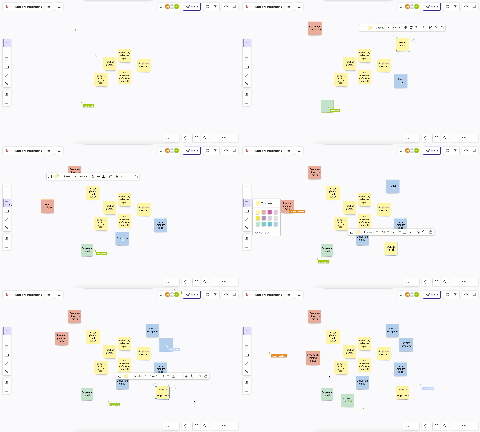
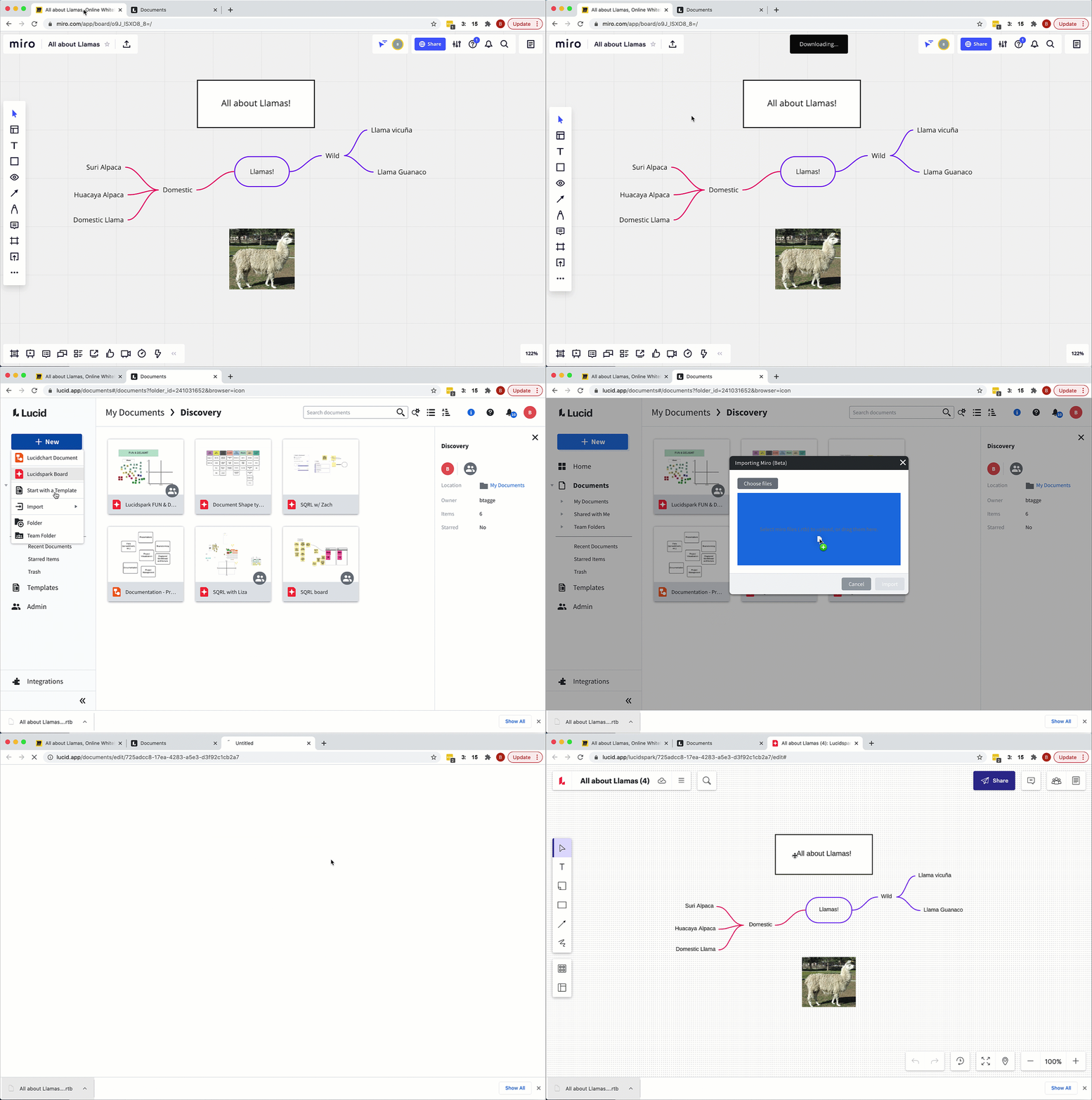
Screenshots & Videos Screenshot #0
Screenshots & Videos Screenshot #1
Screenshots & Videos Screenshot #2

Lucidspark Features

Design tools

Drawing

Marker colors

Mind mapping

Templates

Drag-and-drop

Communication tools

Commenting

Integrations

Sharing

Software offering

In-browser

Collaboration

Board overview

Native communications

Customization

Pre-made templates

Custom templates

Hardware

Bring your own device

Security

Permissions

Single sign-on (sso)

Lucidspark Pricing

Pricing details
Last edited: November 2024

Lucidspark Reviews

Summary based on 19 user reviews

What users say about Lucidspark

Lucidspark is praised for its intuitive environment and smooth real-time collaboration with multiple users. Practical templates enable a quick start. However, Lucidspark can feel somewhat overwhelming for first-time users. With large or complex boards containing heavy content, performance can slow down and the user interface can become cluttered. Additionally, the layout tools are sometimes a bit clunky. Another drawback is that certain useful features are locked behind paid plans. Despite these issues, Lucidspark solves teamwork challenges and creates an engaging environment for joint projects.

Still have questions?

4.2 (19) Based on 19 reviews
553%
432%
316%
20%
10%

19 of 19 reviews

4.0
Older than 12 months

Collaboration Board mit einem Nachteil

What did you like?

Wir nutzen Lucidspark hauptsächlich um intern in unserer Agentur zu brainstormen. Das machen wir hauptsächlich zu unterschiedlichen Prozessen die intern ablaufen. Mit Lucidspark können all unsere Mitarbeiter, egal ob im Homeoffice oder von irgendwo anders unterwegs aus an ein und demselben Board live zusammen mitarbeiten und ihre Ideen einbringen. Am besten gefällt mir, dass dies wirklich live geschieht und ich sehen kann, was meine Kollegen just in time in dem Tool eintragen. Zudem ist das Tool sehr übersichtlich und es erfordert keinerlei Einarbeitung.

What did you not like?

Was mir an dem Tool nicht gefällt ist der Fakt, dass es bei zu vielen Nutzern die in derselben Zeit am selben Board arbeiten einfach sehr unübersichtlich wird. Ungefähr ab 15 bis 20 Nutzern die in einem Board arbeiten sieht man nur noch ein Gewimmel an Cursorn und alle Leute verschieben gefühlt die digitalen Notizzettel und schreiben Dinge auf das Board. Das kann sehr schnell zu Verwirrung führen und einfach unübersichtlich sein. Ich würde empfehlen, dass Tool etwas übersichtlicher zu gestalten und vielleicht die Cursoranzahl auf maximal 10 Cursor zu reduzieren.

Which problems are you solving with the product?

Wie erwähnt nutzen wir Lucidspark hauptsächlich um gemeinsam an internen Prozessen zu feilen und zu brainstormen. Allerdings haben wir Lucidspark auch schon häufiger bei Kundenmeetings eingesetzt, um an neuen Kampagnen oder Ideen für neue Produkte mit den Kunden zusammen zu brainstormen. Bei den Kunden kam der Einsatz des Tools immer sehr gut an und alle haben gerne miteinander indem in dem Tool gearbeitet. Es entsteht auch eine große Wertschätzung, wenn man den Kunden aktiv mitarbeiten lässt.


Lea

Senior Performance Marketing Managerin at247GRAD GmbH

Marketing and Advertising

11–50 employees

Use cases:CollaborationMind MappingWhiteboard
5.0
Older than 12 months

Benutzerfreundliche, kollaborative und professionelle Software!

What did you like?

Auch wenn es etwas Zeit braucht, um sich daran zu gewöhnen, ist Lucidspark das beste digitale Whiteboard für die Zusammenarbeit, weil es einfach zu bedienen ist und viele Funktionen hat, die andere digitale Whiteboards nicht haben. So kannst du zum Beispiel neue Inhalte hinzufügen, Feedback erhalten und Anpassungen am Board vornehmen. Und wenn du in einem Team arbeitest, kannst du die Pläne und Ideen anderer Teammitglieder importieren. Lucid verfügt auch über eine Rechtschreibprüfung die sehr hilfreich ist und es ist einfach Arbeitsbereiche zu unterteilen, damit jeder weiß, wofür er zuständig ist.

What did you not like?

Manchmal kann die Textbearbeitung unübersichtlich sein, vor allem wenn man versucht verschiedene Schriftarten, Untertitel und Formen zu ändern. Die Suche nach Vorlagen könnte noch besser gestaltet werden. Ein schneller Zugriff auf Vorlagen oder eine Funktion, um die Art der von verschiedenen Nutzern verwendeten Vorlagen zu speichern, wäre toll.

Which problems are you solving with the product?

Mit Lucidspark kann ich meinen Kolleginnen und Kollegen verschiedene Kampagnenoptionen einfach und übersichtlich präsentieren, so dass sie zeitnah Entscheidungen treffen können. Die Möglichkeit, Entscheidungen schnell zu treffen und umzusetzen ist ein großer Wettbewerbsvorteil in der Marketingbranche. Dazu macht es halt einfach Spaß einen Kommentar, ein Emoji und GIFs hinzuzufügen. Es ist ein leistungsfähiges und praktisches Tool für die Organisation von Meetings und die Zusammenarbeit an Projekten


Jascha

Performance Marketing Manager at 247GRAD GmbH

Marketing and Advertising

11–50 employees

Use cases:CollaborationMind MappingWhiteboard
5.0
Older than 12 months

Lucidspark ist einfach in der Bedienung und effektiv

What did you like?

Meine zwei liebsten Dinge an Lucidspark: 1.) Es ist super einfach, den Einstieg zu finden und einfach zu bedienen. Es gibt Tutorials für alles, wenn man sie braucht, aber es ist sehr intuitiv und ich musste keine Tutorials lesen um das Tool effektiv nutzen zu können. 2.) Lucidspark funktionierte sofort mit meinem digitalen Eingabestift. Ich hatte einige Probleme mit der Integration von anderen digitalen Whiteboard-Tools. Aber Lucidspark war im Wesentlichen "Plug & Play", was großartig ist.

What did you not like?

Mehr Schriftartenoptionen wären wünschenswert, die Standardoptionen gefallen mir nicht so. Ich wünsche mir auch eine größere Auswahl an Symbolen, Stilen und Designs für die Verwendung auf dem Whiteboard. Der Anmeldeprozess ist sehr langsam und manchmal auch sehr mühsam.

Which problems are you solving with the product?

Die Teamzusammenarbeit in Lucidspark ist extrem nahtlos. Dieses Tool ist ein Muss für Unternehmen und Teams, die eine Zusammenarbeit mit anderen Mitgliedern benötigen. Durch die Möglichkeit, das Tool über den Browser zu bedienen, ist es für neue Teammitglieder sehr einfach und intuitiv zu erlernen. Lucidspark bietet auch viele vordefinierte Vorlagen, die die Arbeit für Personen die an verschiedenen Dokumenten arbeiten erleichtern. Wir sind sehr zufrieden mit dem Tool.


Sandra

Performance Marketing Manager atBillbee GmbH

Information Technology and Services

11–50 employees

Use cases:CollaborationMind MappingWhiteboard
3.0
Older than 12 months

Brainstorming aber mit großen Einschränkungen

What did you like?

Lucidspark ist ein einfaches Whiteboard, in dem man sich schnell zurecht findet und ohne viel Einarbeitung darin arbeiten kann. Gerne genutzt wird es von mir für Brainstormings in Kundenterminen, bei denen man neue Ansätze für Projekte entwickeln möchte. Da es ein Onlinetool ist, kann jeder von zu Hause aus live daran mitarbeiten.

What did you not like?

Es gibt leider einige Dinge, die mir an dem Tool nicht so gut gefallen. Als erstes wird es meiner Meinung nach ab einer bestimmten Projektgröße bzw. Boardgröße irgendwann unübersichtlich. Man muss ranzoomen, rauszoomen und Dinge verschieben, was keinen Spaß mehr macht, wenn es zu groß ist. Zudem kann es schnell mal ins Ruckeln kommen, wenn einfach zu viele Nutzer zu viele Dinge gleichzeitig in dem Board bearbeiten.

Which problems are you solving with the product?

Ich nutze Lucidspark wie erwähnt hauptsächlich zur Ideenfindung in Kundenmeetings. Grade in der jetzigen Zeit wo viele Personen im Homeoffice sind, kann man dennoch zusammen in einem Meeting an einem Board arbeiten und seine Ideen gemeinsam aufschreiben und zusammen bringen. Dahingehend finde ich Lucidspark sehr gut und sinnvoll.


Jens

Marketing Consultant atFlughafen Köln/Bonn GmbH

Airlines/Aviation

201–500 employees

Use cases:CollaborationMind MappingWhiteboard
4.0
Older than 12 months

Whiteboard zur Kollaboration und Brainstormen mit vielen Freiheiten

What did you like?

Lucid ist einfach aufgebaut und jede:r findet sich schnell zurecht bei der Arbeit. Besonders Brainstorming-Sessions und Strategieentwicklungen machen wir häufig über Lucid, da mithilfe vo Post-Its und anderen Funktionen die Zusammenarbeit super einfach ist. Auch zur regelmäßigen Contentplanung und sogar zur Erstellung von Mockups unserer Webseite nutzen wir Lucid, da es uns so viele Kollaboratinosmöglichkeiten gibt.

What did you not like?

Sind viele Personen gleichzeitig auf dem Board unterwegs, dann kann es schnell unübersichtlich werden. Auch würde ich mir mehrere "Tabellenblätter" wünschen, da es schnell chaotisch werden kann mit nur einem Board

Which problems are you solving with the product?

Zusammenarbeit mit meinen Kolleg:innen beim Brainstormen ist erleichtert, da sich die Ideen leicht und schnell verschieben und gruppieren lassen. Auch für eigenes Aufschreiben von Ideen und zum Sortieren von Einfällen bietet Lucid die entsprechende Flexibilität.


Jana

Content Managerin atBillbee GmbH

Information Technology and Services

11–50 employees

Use cases:CollaborationMind Mapping
4.0
In the last 30 days

Great for hybrid team ideation, but the student plan falls short

What did you like?

• Smooth real-time collaboration with multiple simultaneous users, which suits hybrid sessions • Facilitation tools such as voting and the timer, which kept sessions focused and gave everyone a say • Grouping tools (Gather, sorting by tags or votes) that made it fast to turn a messy board into clear themes • Templates that got us started quickly • A clear path from ideas to structured diagrams through Lucidchart

What did you not like?

We signed up with student accounts but still didn't get access to the pro features, which was frustrating. Clearer information on what the student plan includes, or broader access for student teams, would make a real difference.

Which problems are you solving with the product?

Teams running workshops or brainstorms, remote, in person, or hybrid, that want structure without losing creative freedom.


Luna

Student atESMT

Education Management

501–1,000 employees

Use cases:CollaborationCustomer Journey MappingMind Mapping
4.5
In the last 6 months

Nice Addition to work

What did you like?

Lucidsparks is such a well-developed tool. The Jira task integration and AI task estimation are amazing, and I use these 2 features very frequently. It also works much more smoothly and reliably than other similar tools.

What did you not like?

I wish the guide for getting started were more detailed. I'm just getting started and I don't know about all the features included in this tool

Which problems are you solving with the product?

Creating work tasks and task manager integration


Mina

Researcher atSOCIUM

Research

51–100 employees

Use cases:CollaborationWhiteboard
5.0
In the last 12 months

Lucidspark User Review

What did you like?

What I like best about **Lucidspark** is how easily it enables real-time collaboration and idea sharing, especially for remote or distributed teams. The infinite canvas gives you the freedom to brainstorm without constraints, while features like sticky notes, drawing tools, and templates make it simple to organize thoughts visually. Its smooth integration with tools like Lucidchart and other workspace apps helps turn ideas into structured plans quickly. Overall, it creates a very intuitive and engaging environment where teams can think creatively, stay aligned, and move from brainstorming to execution without friction.

What did you not like?

One downside of **Lucidspark** is that it can start to feel cluttered and overwhelming when working on large or complex boards with many contributors, making it harder to stay organized. Some users also find that performance can slow down slightly with heavy content or lots of simultaneous collaborators. Additionally, while the tool is great for brainstorming, it has fewer advanced diagramming or structuring features compared to more specialized tools, so you may need to switch to something like Lucidchart for detailed work. Finally, certain useful features are locked behind paid plans, which can be limiting for users on the free version.

Which problems are you solving with the product?

With **Lucidspark**, the main problems being solved are around scattered ideas, lack of team alignment, and difficulty collaborating in real time—especially in remote or hybrid environments. It helps bring all brainstorming, planning, and discussions into one shared visual space, so teams don’t have to rely on long message threads or disconnected documents. As a result, the benefits realized include clearer communication, faster idea generation, and better team engagement. It also improves productivity by allowing everyone to contribute simultaneously, organize thoughts quickly using visual tools like sticky notes and templates, and move more smoothly from brainstorming to actionable plans.


Abhishek

Cloud Engineer atBeltronics Consultancy

Information Technology and Services

51–100 employees

Use cases:CollaborationMind Mapping
5.0
Older than 12 months

First that clicked with us, user experience wise

What did you like?

It feels nice to zoom and move around the board, the controls for locking stuff in place, grouping, etc is fun and intuitive. I had struggled with other similar products I tried before so this was and is big for me.

What did you not like?

The layout and line up tool for different elements is sometimes a bit clunky and incorrectly lined up but might also be that it gets confused coz I easily have over 50-60 Elements. Also, I don’t really like the tables feature, coz it feels more annoying through partially getting autosized than helpful. Or maybe I didn’t see the matching setting to not have it do that but then that should be placed more obvious.

Which problems are you solving with the product?

We turned it into our hub for realizing and evaluating our progress and having in check our finances as well as utilizing it to prepare our quarterly and yearly impact and transparency reports.


Anonym

Vorstand

Non-Profit Organization Management

0–10 employees

Use cases:Whiteboard
4.5
Older than 12 months

Visual Collaboration made easy

What did you like?

Lucidspark makes real-time collaboration incredibly smooth and intuitive. I love how easy it is to jot down ideas, organize sticky notes, and draw connections between concepts—all in a shared space that updates instantly for everyone. The pre-built templates save a lot of time during planning sessions, and the seamless integration with Lucidchart helps bridge brainstorming and actual workflows. It’s perfect for remote teams needing a virtual whiteboard.

What did you not like?

it can feel a bit overwhelming for first-time users due to the many features and tools available on the interface. The navigation isn't always intuitive, especially when managing large boards with multiple collaborators.

Which problems are you solving with the product?

Previously, we struggled with scattered notes, version control, and poor engagement during virtual whiteboard sessions. With Lucidspark, we’ve created a centralized space for idea generation, sprint planning, and team retrospectives.


Kunal

Data Scientist atAunorf GmbH

Mechanical or Industrial Engineering

2,001–5,000 employees

Use cases:CollaborationVisual Collaboration PlatformsWhiteboard
3.5
Older than 12 months

My favorite app for Mind Maps

What did you like?

It's a flexible app that allows to create diagrams, mind-maps, organigrams. It's easy to group ideas by topic and in my experience it has low lag even if many users are working on the same document. It has a decent set of templates, that help us getting started and diversify applications. It integrates well with major ecosystems (Microsoft, Google, etc).

What did you not like?

Design is fairly basic, so if you need documents with strong visual appeal you might need to resort to additional apps or workarounds to achieve a more visually elaborated final result.

Which problems are you solving with the product?

Collaborative work on projects that require organograms, flowcharts, storyboards. It offers easy ways to vote on ideas, so that remote teams can easily present and select the best options, while saving time.


Andie

Manager atShree Peetha Nilaya

Education Management

101–200 employees

Use cases:CollaborationCustomer Journey MappingMind Mapping
4.5
Older than 12 months

Really great tool for private and professional use

What did you like?

Lucid offers a tool for open book thinking, flexibility that other softwares are creatively limited to provide, collaborative, visual, customisable - everything you need to visualise ideas, process and concepts that is scalable - for yourself or with others. I use it privately and professionally. UI and UX are both good and they continue to come up with unique and interesting features with a focus on collaboration.

What did you not like?

There is nothing that I don't like per se. Perhaps that it's not as widely known as other brands. Maybe that there could be even more visually appealing templates.

Which problems are you solving with the product?

I map up to do lists and tasks, research and design processes, plan timelines, I use is as a final product of design and feature benchmarking, share presentations, conduct workshops - so it helps me plan, explain things, present things, visualise things all in one place. I dont have to switch platform as its all there in one file.


Kayo

UX researcher atMetro Markets

Consumer Services

501–1,000 employees

Use cases:CollaborationCustomer Journey MappingMind Mapping
3.0
Older than 12 months

Lucidspark: Eine dynamische Plattform für visuelle Zusammenarbeit und Brainstorming

What did you like?

Was mir an Lucidspark am besten gefällt, ist definitiv die intuitive und benutzerfreundliche Oberfläche. Es ist wirklich beeindruckend, wie schnell man sich in die Software einarbeiten und produktiv werden kann, selbst wenn man vorher noch nie mit ähnlichen Tools gearbeitet hat. Ein weiterer Aspekt, den ich besonders schätze, ist die Echtzeit-Kollaborationsfunktion. Es ist faszinierend zu sehen, wie mehrere Teammitglieder gleichzeitig an einem Board arbeiten können, was die Kreativität und den Ideenaustausch enorm fördert. Diese Funktion macht Lucidspark zu einem unschätzbaren Werkzeug für remote arbeitende Teams. Schließlich bin ich von der Vielfalt der verfügbaren Vorlagen und Shapes begeistert. Diese Vielfalt ermöglicht es, schnell professionell aussehende Diagramme, Mindmaps und Flowcharts zu erstellen, was nicht nur Zeit spart, sondern auch die Qualität der visuellen Darstellungen erheblich verbessert.

What did you not like?

Ein Aspekt, der mir an Lucidspark nicht so gut gefällt, ist die Leistung bei komplexeren Boards. Es kann frustrierend sein, wenn die Plattform bei einer großen Anzahl von Elementen langsamer wird, besonders wenn man mitten in einer kreativen Brainstorming-Session ist. Ein weiterer Punkt, der meiner Meinung nach verbesserungswürdig ist, ist die begrenzte Anpassungsmöglichkeit bei den Vorlagen. Obwohl es eine gute Auswahl gibt, wünschte ich mir mehr Flexibilität, um die Templates genau an die spezifischen Bedürfnisse meines Teams oder Projekts anzupassen. Schließlich finde ich das Preismodell etwas problematisch. Während die kostenlose Version einen guten Einstieg bietet, sind viele der wirklich nützlichen Funktionen nur in den kostenpflichtigen Abonnements verfügbar. Dies kann für kleinere Teams oder Einzelnutzer eine echte Hürde darstellen und verhindert möglicherweise, dass sie das volle Potenzial des Tools ausschöpfen können.

Which problems are you solving with the product?

Mit Lucidspark löse ich vor allem das Problem der effektiven visuellen Zusammenarbeit in einem verteilten Team. Es ermöglicht uns, komplexe Ideen und Konzepte auf eine Weise zu visualisieren und zu strukturieren, die per E-Mail oder Textnachrichten kaum möglich wäre. Ein großer Vorteil der Nutzung von Lucidspark liegt in der Förderung der Kreativität und des Ideenaustauschs. Die Plattform schafft einen virtuellen Raum, in dem alle Teammitglieder ihre Gedanken frei äußern und gemeinsam weiterentwickeln können, was zu innovativeren Lösungen und besseren Entscheidungen führt.


Shahin

Data Scientist atFord Werke GmbH

Automotive

10,001–100,000 employees

Use cases:CollaborationMind MappingWhiteboard
3.5
Older than 12 months

Coole App, einfache Bedienung, erleichtert kreatives Arbeiten in Zoom

What did you like?

Man kann mithilfe des Tools gut zusammen brainstormen innerhalb von Zoom. Ich finde super, dass man sieht, wo sich die Maus der einzelnen Teilnehmer befindet und man so sieht, worüber die jeweilige Person gerade spricht. Man hat das brainstorming der Ideen + Notizen machen sozusagen in Zoom direkt vereint.

What did you not like?

Die Software hakt manchmal zB wenn man andere verfolgt. Abstimmungsergebnisse werden nicht immer perfekt angezeigt und wenn viele Personen an dem Board arbeiten ist es irgendwann ein wirrwarr aus Mauszeigern, vielleicht könnte man irgendwas entwickeln, dass der der gerade spricht auch angezeigt wird oä

Which problems are you solving with the product?

Das Tool ist sehr intuitiv, weshalb eigentlich jeder aus dem Team sofort damit arbeiten kann. Vorteil ist, dann man obwohl man digital über Zoom zusammenarbeitet, trotzdem zusammen an einem Board arbeiten kann wie in real life :) Geil dass heutzutage so eine Entwicklung in dem Bereich stattfindet! Hab eigentlich schon alles gesagt: Super zum brainstormen, einfach zu nutzen, erleichtert und bereichert das tägliche Arbeiten - sowohl in Teamcalls als auch Kundencalls


Patricia

Founder atAdflare

Human Resources

0–10 employees

Use cases:Mind MappingWhiteboard
4.5
Older than 12 months

Gutes Tool für Teamzusammenarbeit

What did you like?

Lucidspark wirkt elegant gestaltet und benutzerfreundlich - die Benutzeroberfläche ist intuitiv und bietet eine Vielzahl von Tools zur Visualisierung und Organisation von Ideen. Insbesondere die Möglichkeit, Mind Maps zu erstellen und Diagramme zu zeichnen, hat sich als äusserst nützlich erwiesen.

What did you not like?

Ich würde mir wünschen, dass die Exportfunktionen erweitert werden, insbesondere die Möglichkeit, Daten in andere Formate wie Excel oder PowerPoint nahtlos zu exportieren. Dies würde die Integration von Lucidspark in bestehende Arbeitsabläufe erleichtern. Ein weiterer Punkt, der verbessert werden könnte, betrifft die Stabilität der Plattform. Gelegentlich sind wir auf kleinere technische Probleme gestossen, die uns Zeit gekostet haben.

Which problems are you solving with the product?

Ideen visualisieren, Echtzeit-Kollaboration (Teams können in Echtzeit zusammenarbeiten, unabhängig von ihrem Standort). Und Brainstorming-Sessions erleichtern: Lucidspark bietet eine Plattform für kreative Brainstorming-Sitzungen.


Fabe

Campaign Consultant atKarger

Libraries

201–500 employees

Use cases:CollaborationMind MappingVisual Collaboration Platforms
All reviews
Get in contact

Alternatives to Lucidspark

Lucidspark Content