Table of contents
- Websites are constantly changing: what should be done?
- What is a GDPR website check?
- What does a data protection website scanner check, and what does it not check?
- How does a website scanner detect tools requiring consent and faulty cookie banners?
- What are the 8 most important checkpoints for a website?
- Step-by-step: What to check on the website
- How do I manually check a website for data protection issues?
- Which tools help with a GDPR check?
- Conclusion: How to maintain control over website data protection
Key points at a glance
- A GDPR website check consists of an automated scan and a manual review. Scanners detect cookies, trackers and third-party providers, but do not assess the content of privacy policies, contact forms or legal notices.
- Often, the consent banner is implemented incorrectly from a technical point of view, meaning that services requiring consent load as soon as the page is first opened, before consent has been given.
- Check eight key areas: privacy policy, cookies and consent banners, SSL/TLS, third-party providers, tracking and advertising, contact forms, hosting and antivirus contracts, and the legal notice.
- Start by asking what happens technically when a page is loaded. Test not only the homepage, but also subpages and landing pages.
- Record findings, actions taken and follow-up tests in an audit report, and make the check a standard part of website maintenance.
At first glance, the website appears to be in order in terms of data protection – the connection is SSL-encrypted, the consent banner appears when the site is accessed and requests consent, and the privacy policy and legal notice are in place.
But what about third-party services, external content, tracking, advertising and contact forms?
Website managers are increasingly unsettled by technological hurdles and ever more complex legal regulations, and not without good reason: data processing takes place in the background on websites, and it is not immediately apparent whether the consent banner is correctly obtaining consent for cookies and services.
Websites are constantly changing: what should be done?
What was GDPR-compliant yesterday may no longer be so once a new marketing tool or an embedded video is added, or the content management system is updated.
This is where an automated GDPR scan can help. It reveals which technologies are actually active on your website and where there may be potential issues with personal data. The scan report thus forms the basis of a GDPR website check, which you can then supplement with manual checks.
I’ll show you which areas you should check, what automated scanners can do, and where an additional legal data protection assessment is necessary.
What is a GDPR website check?
A GDPR website check assesses whether a website complies with the applicable legal data protection requirements. For websites in Germany, three sets of regulations are particularly relevant:
- The GDPR (General Data Protection Regulation) sets out the conditions under which personal data may be processed and the information obligations that apply.
- Section 25 of the TDDDG (Telecommunications and Digital Services Data Protection Act) stipulates, amongst other things, when consent is required for the storage or retrieval of information on end devices.
- The BDSG (Federal Data Protection Act) supplements the GDPR in certain areas of German data protection law.
The audit typically consists of an automated check using a scanner, as well as a manual review. A software-based scanner, for example, detects that a connection to Google Analytics is established when a page is accessed and identifies which cookies are set by the service. It can also assess whether this connection is permissible. This depends, amongst other things, on what data is transmitted, whether consent is required and whether such consent has been given. It thus provides the technical basis for assessing data protection risks. During the manual examination, you check aspects that are difficult to test automatically, such as the accuracy of the privacy policy.
What does a data protection website scanner check, and what does it not check?
A website consists of numerous components. In addition to the actual content management system, external analytics tools, marketing tools, fonts or videos are often used. These can set and read cookies and trigger network requests that transfer data to external servers. For website visitors, this usually takes place completely out of sight and can only be detected using specialised tools such as website scanners.
A website scanner identifies these tools and determines whether they require consent. Checking consent requirements is particularly revealing, as cookie banners are often incorrectly configured and use problematic tools without consent having been granted, and without this being made clear in the user interface.
The strength of website scanners lies in the automation of gathering this raw technical data and deriving insights from it. This is particularly helpful for users without a technical background, as they usually do not know how services and cookies can be made visible in the first place. Furthermore, it requires a considerable amount of research to deduce the actual sources (the names of the tools and their manufacturers) from the raw technical data, as well as to determine the legal conditions for their use. This effort is multiplied when subpages of a website also need to be checked, especially if this is to be done on a regular basis.
What a GDPR scanner does not check
Automated scanners are not yet capable of handling all aspects of a website check. This applies, for example, to the assessment of the content of privacy policies, contact forms, the wording of the cookie banner and the legal notice. However, the use of AI is set to change this in the future.
What a scanner detects automatically
Depending on the tool, the following technical aspects, amongst others, can be checked:
- Cookies and web storage entries, and their links to external services and tools
- External services and tools loaded from the website’s pages
- Information on consent: which cookies or services were loaded with or without consent, and whether this constitutes a data protection breach
- Server security: for example, inadequate or faulty transport encryption on the web server (SSL encryption and the trustworthiness of the SSL certificate)
- Transfer of data to unsafe third countries: operation of the web server or external services by providers in an unsafe third country such as the USA
In addition, website scanners also check related aspects, such as elements of server security or certain content-related aspects of the cookie banner (‘dark patterns’).
What are the 8 most important checkpoints for a website?
Not every website processes the same data. A corporate website with a small number of subpages has different requirements to an online shop with customer accounts, a newsletter and multiple marketing tools.
In my view, however, there are 8 areas that are practically always relevant in a GDPR website check.
1. Privacy policy
The privacy policy must explain which personal data is processed, for what purpose this is done and on what legal basis. This is regulated in Article 13 of the GDPR.
This includes, for example, information about contact forms, analytics tools, hosting providers and external content. Details regarding the retention period, recipients and the rights of data subjects are also important.
Problems arise when the privacy policy no longer matches the website. This happens, for example, when new services are integrated without updating the text accordingly.
2. Cookies and consent banners
Cookies are small text files stored by the browser. They can be used, for example, to save settings or to analyse usage behaviour. Under Section 25 of the TDDDG, consent is generally required for the storage or retrieval of information on end devices. Exceptions apply, amongst other things, to processes that are strictly necessary to provide an expressly requested digital service.
A consent banner does not, therefore, need to be present on every website. However, if non-essential cookies are set, or services requiring consent are used, consent must be obtained. It is important that users give their consent voluntarily, have a genuine option to opt out, and can withdraw their decision at a later date.
“In our tests, we repeatedly find that the technical implementation of the consent banner often fails to meet legal requirements. For example, services or cookies requiring consent are activated as soon as the page is first loaded – even before visitors have given their consent. This means the consent banner loses its actual protective function.” – Eckhard Schneider, Managing Director of decareto
3. SSL/TLS and secure data transmission
Article 32 of the GDPR stipulates that website operators must ensure secure data processing. A key aspect of this is that data is transmitted in encrypted form between the browser and the web server. In this context, SSL certificates are often mentioned. In fact, the more modern TLS protocol is used today.
When checking, you should ensure that the certificate is valid, that HTTP requests are redirected to HTTPS, and that no insecure content is embedded.
An encrypted connection is an important security measure. However, it says nothing about whether cookies, tracking or other data processing activities are lawful.
4. Third-party providers and external content
Hardly any company website can manage entirely without external services. Typical examples include Google Maps, YouTube videos, fonts or social media integrations. When loading such content, the browser may establish connections to third-party servers. In doing so, personal data such as the IP address is transmitted.
The key factors are what data is actually transferred, what the legal basis for this is, and whether any additional requirements apply to data transfers to third countries. On the one hand, this must be taken into account in the information provided in the privacy policy; on the other hand, consent must be obtained via the cookie banner if this is necessary for certain services.
5. Tracking and advertising
Many companies want to know how visitors use their website. To this end, they use tools such as Google Analytics or other marketing tools. In the context of online advertising, specialised tracking tools are also used to analyse and improve advertising effectiveness; the best-known of these is the ‘Meta Pixel’. All these tools create user profiles and therefore process personal data particularly intensively; they require consent in every case.
6. Contact forms and personal data
Contact forms are among the most common places where websites collect personal data.
Here, you should check which details are actually required, how the data is transmitted, and whether users are adequately informed about the processing.
It is also important to have the appropriate legal basis. For a standard business enquiry, separate consent is not automatically required. The situation may be different, for example, when subscribing to a newsletter.
7. Hosting and data processing agreements
Hosting providers and other service providers may process personal data on behalf of a company. Many of the external services mentioned above also process data on behalf of the website operator. In such cases, a data processing agreement (DPA) in accordance with Article 28 of the GDPR is generally required; this should be ensured through the review
8. Legal Notice
You should also check whether the statutory legal notice requirements are met, even though, strictly speaking, this is not a data protection issue. For German company websites, these requirements arise in particular from the Digital Services Act and, where applicable, the State Media Treaty.
The 8 most important points to check on a website – from the privacy policy to the legal notice.
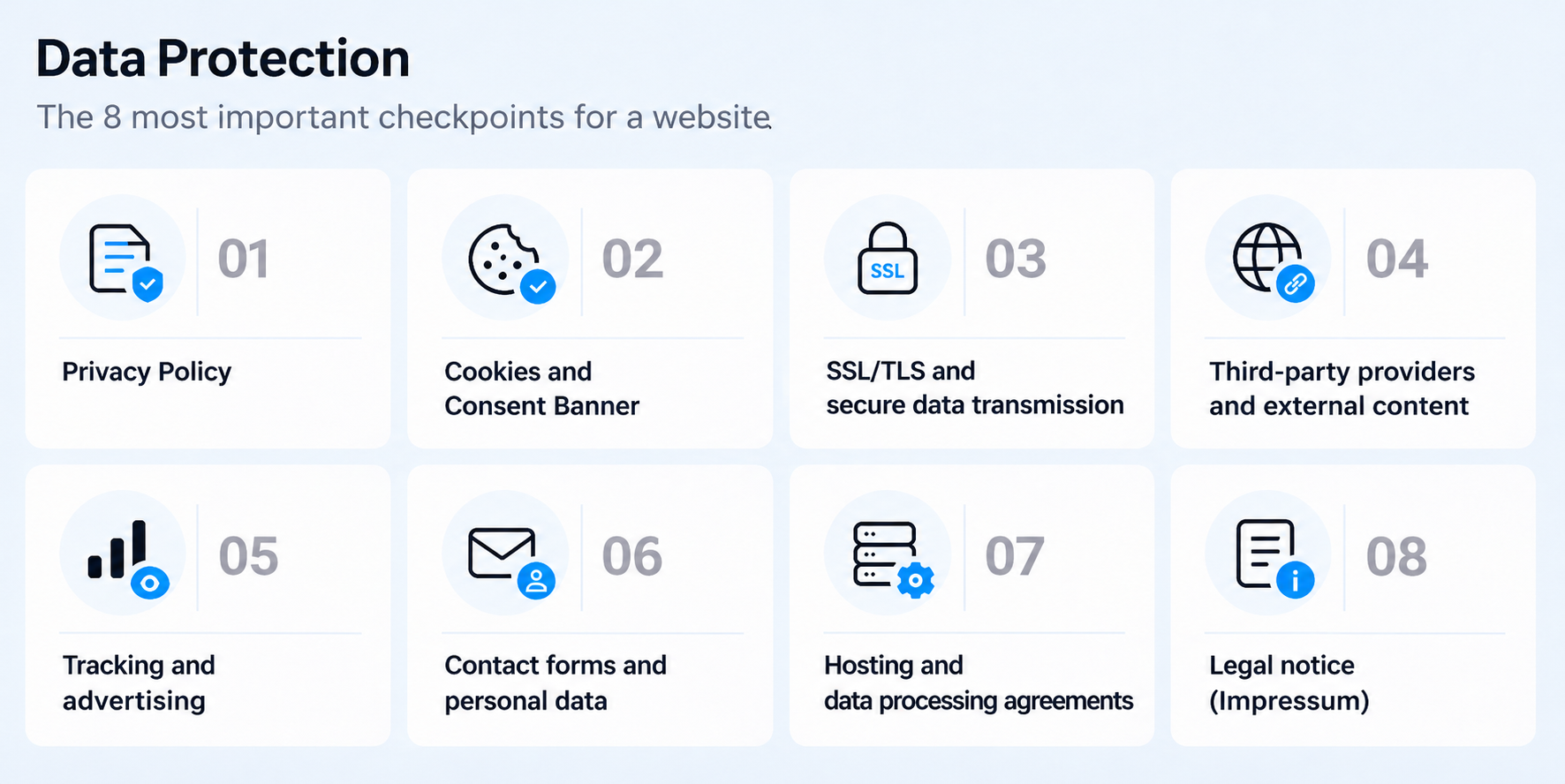
checkpoints for a website
Step-by-step: What to check on the website
When carrying out a data protection audit, I wouldn’t start with the privacy policy, but rather with the question: What happens technically when someone visits the website?
Only once it is clear which services are actually active can you assess whether the legal information and consent settings are appropriate.
For an initial check, you can use this GDPR website checklist:
- Map out the website: Make a note of all relevant subpages, forms, landing pages and external integrations.
- Carry out an automatic scan: Check the website for cookies, trackers and links to third-party providers.
- Test consent: Which services are loaded before you give your consent?
- Check the cookie banner: Test both acceptance and rejection. Are the respective choices implemented technically?
- Verify privacy policy texts: Are all services used included in the privacy policy?
- Check service providers: Review hosting, data processing agreements and any data transfers to third countries.
- Verify results: Document any anomalies, rectify the causes and then carry out another test.
It is important not to examine only the homepage. A YouTube video on a product page or a marketing form on a landing page can trigger other data processing activities.
How do I manually check a website for data protection issues?
Would you like to get started straight away and carry out an initial manual test? I’ve put together a comprehensive and detailed guide with all the information and step-by-step explanations. In it, you’ll learn how to reliably identify data protection gaps on websites. Download the
free ‘Data Protection Technical Guide’ eBook (only available in German) and get started straight away using the developer tools in your browser.
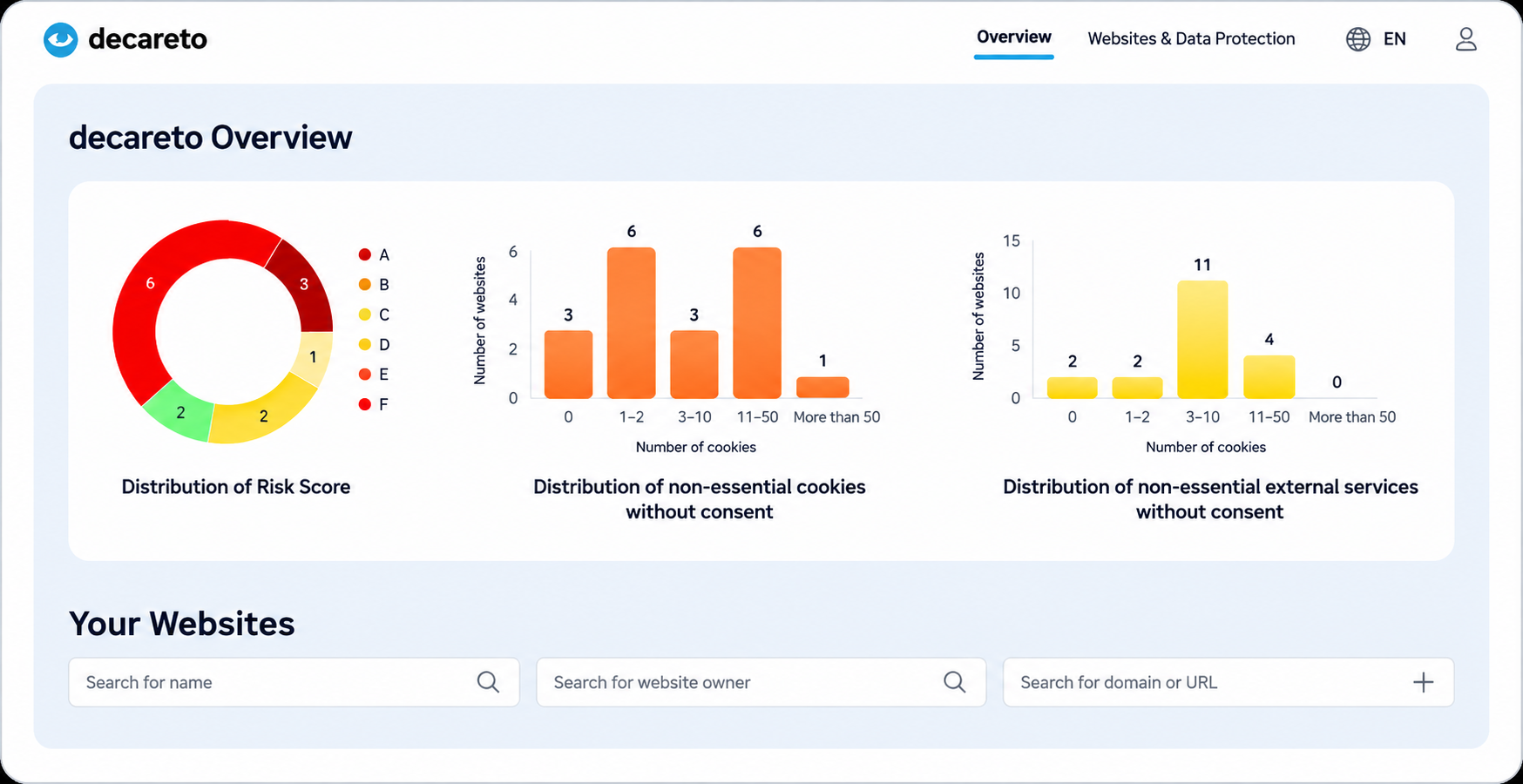
data protection technical guide
There are various software-based tools available for a comprehensive GDPR check of your website. They differ primarily in the scope of their checks and how well the results can subsequently be analysed.
Free GDPR website checks
A free GDPR website check may be sufficient for an initial overview and assessment. Simple scanners, for example, detect cookies, external scripts or missing HTTPS configurations. Examples include
Webbkoll or
Blacklight.
However, all these tools only analyse the URL entered and do not interact with the cookie banner to check for consent. Furthermore, they lack reporting functionality, and the assessment of any issues found is limited. If you manage several websites or require regular checks, you will quickly reach the limits of these tools.
Professional data protection tools
There are solutions designed for professional use in the B2B sector, which are utilised by data protection officers and web agencies to support their clients and customers. There are also tools for end users, intended for use on one or a few websites. Here, I’ll focus on the professional tools used to provide automated data protection services. In this context, the tools are often used to manage extensive websites with many pages and subpages, or even a large number of different websites. Doing this manually is time-consuming and difficult to scale. Software helps to identify data protection gaps and save valuable time.
Some systems can also cover various national data protection criteria. Ideally, reports are generated containing recommendations for action, detailed risk scores and pre-classified data, which help to determine and prioritise measures. Automated monitoring produces documentation that provides protection in the event of formal warnings.
One example is
decareto. The tool scans websites and subpages for cookies, trackers, external services, faulty consent banners and technical security issues. It also carries out regular checks and documents any changes.
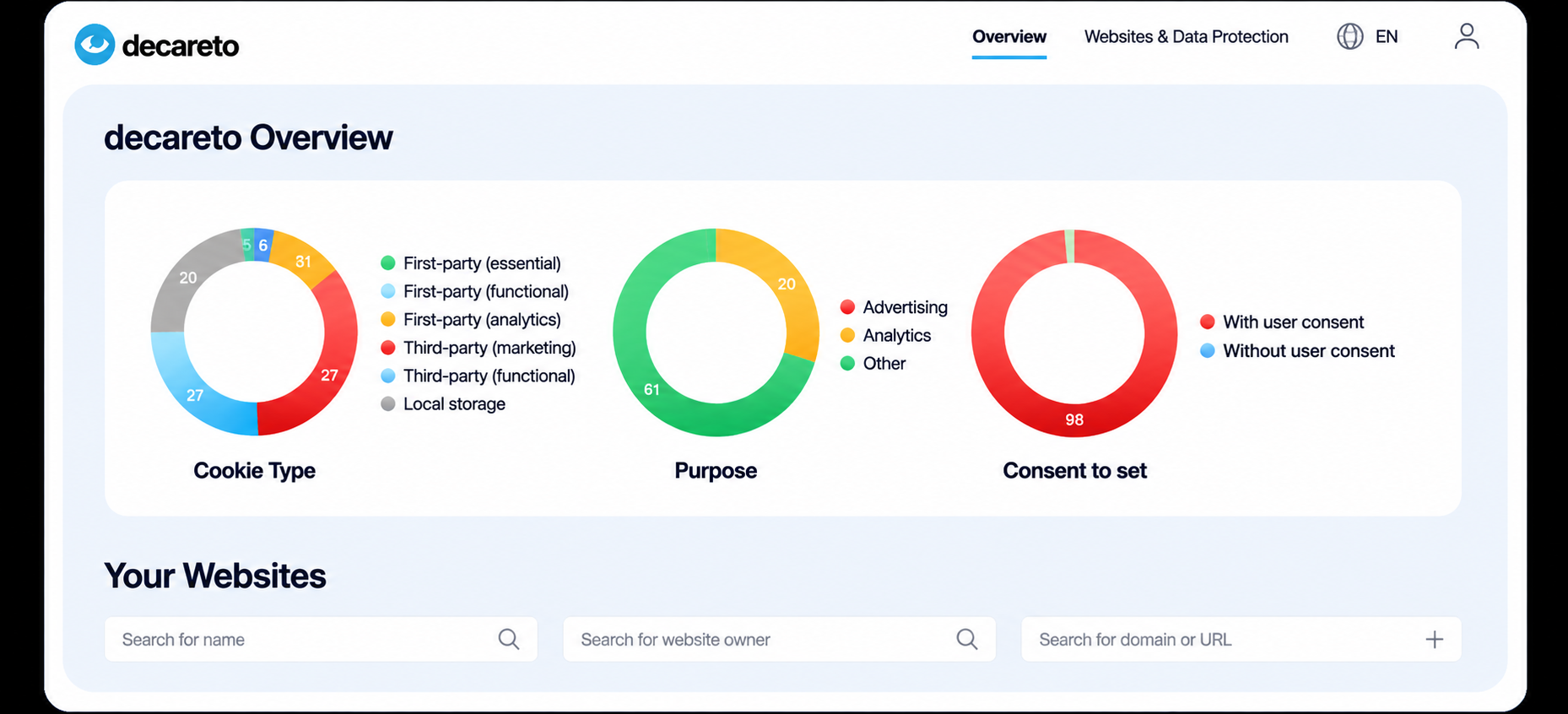
example of a gdpr audit report from decareto showing identified issues
What should a GDPR audit document?
A GDPR audit is of little use if the results are subsequently left unused and nobody addresses the problems identified.
I would therefore recommend recording, right from the start, which issues were found, who is responsible for rectifying them, and whether the changes were subsequently verified.
What should a data protection audit report contain?
An audit report does not need to have a complicated structure. It is important that the results can still be understood even several months later.
The following information should be included:
- Audit date: When was the website audited?
- Scope of the audit: Which pages, functions and consent statuses were tested?
- Audit tools: Which scanners or manual tests were used?
- Findings: Which suspicious cookies, trackers or third-party providers were identified?
- Actions: What needs to be changed and who is responsible for implementing the changes?
- Follow-up test: Was the issue re-checked after the correction?
Screenshots and technical scan reports help to document findings. In the case of recurring audits, they also make it possible to identify changes between two points in time.
Conclusion: How to maintain control over website data protection
A GDPR website check helps to identify technical data protection risks and better understand the actual data processing carried out by a website. Automated scanners take a lot of the work off your hands. However, they cannot completely replace a legal assessment.
In my view, regular checks are particularly crucial. Websites are constantly changing, and this gives rise to new data protection issues. You should also review the privacy policy regularly.
That is why a GDPR check should not only take place before launch, but should be an integral part of website maintenance. This ensures that the website, as a company’s first point of contact online, continues to make a good impression.
