Table of contents
- What Is an Accessibility Audit?
- How Does an Accessibility Audit Work?
- Why Automated Tools Are Not Enough
- Why a Widget Doesn't Replace an Audit
- Who Conducts Accessibility Audits? Accessiway at a Glance
- Conclusion: Why an Audit Pays Off Beyond EAA Compliance
The European Accessibility Act (EAA) came into force on 28 June 2025, requiring private-sector companies to offer accessible digital products for the first time. More than a year later, the story is enforcement, not the deadline itself. Since August 2025, competitors and consumer associations have been sending the first warning letters, and market surveillance authorities are increasingly active in checking whether companies meet the requirements.
An accessibility audit reveals where your digital product actually stands, also referred to as an EAA audit in some markets. This kind of review can protect you from far-reaching consequences, because violations get expensive. Under national implementing laws such as Germany's BFSG (Barrierefreiheitsstärkungsgesetz), fines can reach up to €100,000 per violation, depending on the severity of the breach. On top of that come the costs of competition-law warning letters, which can quickly run into five figures.
Good to know: an exemption exists for micro-enterprises with fewer than 10 employees and annual turnover or balance sheet total below €2 million. For them, the obligation to make services such as webshops, booking systems, or customer portals accessible falls away. If the same company also manufactures or sells products, such as hardware or self-service terminals, the EAA still applies to that part of the business, regardless of company size.
What Is an Accessibility Audit?
An accessibility audit is the systematic review of a digital product against accessibility standards. Because the review is directly grounded in the requirements of national laws implementing the EAA, terms like EAA audit or BFSG audit are also common depending on the market. The audit covers not just websites, but also equally, mobile apps and files such as PDFs. Mobile apps in particular are often overlooked in practice, even though they fall under the same legal requirements as websites: a banking app with poor contrast or a checkout flow that can't be operated with a screen reader is just as much in scope as the corresponding website. Audits, however, cover them far less often.
The distinction from other testing methods matters here. An automated scan gives a quick first overview, user testing shows how people with disabilities actually experience a product, and an accessibility audit combines both with a structured, criteria-based analysis carried out by certified experts. The technical foundation is
WCAG 2.2 AA, the current version of the W3C's Web Content Accessibility Guidelines. It sets out in four principles when digital content counts as perceivable, operable, understandable, and robust. It's complemented by the European standard EN 301 549, which translates WCAG into concrete requirements for websites, apps, and self-service terminals. National laws such as the EAA reference this standard directly.
The effort pays off beyond legal compliance, too. Accessible websites load faster and are more cleanly structured. Search engine crawlers read them in ways similar to screen readers, an effect that shows up measurably in better organic traffic.
Industries with many digital consumer touchpoints are under the most pressure. That includes e-commerce, where accessibility can be a genuine purchase driver, financial services with online banking offerings, the public sector, healthcare, and B2B SaaS companies whose own customers increasingly demand compliance proof.
Highlight Box
Around 90 million people in the EU live with disabilities. Many of them run into websites, apps, and documents in their everyday digital life that exclude them. A one-off quick fix doesn't solve this problem, because digital products keep changing. What works instead is a structured accessibility audit that systematically uncovers weak points and provides a clear path to fixing them.
How Does an Accessibility Audit Work?
A professional accessibility audit typically follows a fixed process:
- Automated pre-scan: Gives a quick first overview of obvious problems, such as missing alt text, insufficient contrast, unlabelled form fields, broken heading structure, or missing language attributes in the code. A free website check, for example with Accessiway's accessibility scanner, is a good starting point and usually takes only a few minutes.
- Manual expert review: Automated tools only catch a small share of actual issues. That's why a manual review by certified experts follows, working through templates, user flows, and interactive elements step by step, including keyboard operation, screen reader testing, and form logic.
- Prioritised audit report: The report classifies every finding by severity, from critical barriers that make a product unusable to smaller deviations, and maps each one directly to the relevant WCAG criterion. That way, development teams immediately see which issue violates which standard and how urgent it is.
- Remediation and retest: Development teams implement the recommended fixes, often supported by a direct connection to tools like Jira. The audit team then reviews the implementation again and confirms that the barrier has actually been resolved. Only this retest closes the loop, without it, any fix is just self-certification.
A question that often gets too little attention in practice is how often audits should happen. A single audit isn't enough, because websites, apps, and content keep evolving. Every new feature can introduce a new barrier. What works instead is an initial audit followed by continuous monitoring through a dashboard, complemented by targeted re-audit cycles at major releases or redesigns.
What matters in the end is a report that serves two audiences at once. Development teams need concrete, code-level guidance; decision-makers need a clear summary of compliance status without the technical detail.
Automated scans are a solid starting point. They catch only around 30% of actual WCAG issues, however. What slips through the cracks of automated tools are mostly the problems that affect users most in everyday use, such as the following:
- Keyboard operability
- Compatibility with screen readers and other assistive technologies
- Correct focus management
- Properly implemented ARIA attributes (Accessible Rich Internet Applications)
All of these factors can only be reliably tested through manual review. A widely used basis for this is
IAAP certification (International Association of Accessibility Professionals).
"An automated scan catches partial code-level errors, but it can't judge user experience. It might flag an image missing alt text, but only a human auditor can tell if that image needs a description or is purely decorative. This is why manual audits are the real foundation of accessibility analysis: an expert steps into the user's shoes to judge what's truly a barrier. Automated tools help, but they're only a backdrop to work that needs human perception and sensitivity." – Ambra Fabbri, Accessibility Expert at Accessiway
Accessibility widgets promise a quick fix through a JavaScript overlay that can be embedded in minutes. Such a widget, however, doesn't change anything in the website's underlying code. It simply adds an extra control layer on top.
Users can often adjust contrast, font size, or switch to a simplified reading view through a widget. That can improve the experience. Structural barriers such as missing alt text, an illogical tab order, or incompatible form fields remain untouched, though, because they sit in the code itself and can't be fixed through an overlay. Anyone relying solely on a widget is therefore not automatically EAA-compliant, even if it often looks that way at first glance.
That's exactly why
Accessiway positions its own widget explicitly as a complement to an audit, not a substitute for one. It represents a first step toward digital accessibility that needs to build on a structured analysis and a long-term strategy in order to actually work.
"Widgets are often sold as a one-click fix for accessibility, but that's misleading – it creates false security for companies and real discomfort for the people who need to navigate the site. A client once asked if the widget could auto-fix vague link labels like "Click here." I had to explain that no software can understand the actual context behind that text, it can only guess. Real accessibility means attention to code, content, and testing with real people, not a cure-all overlay." – Alessia Pia Colella, Accessibility Expert at Accessiway
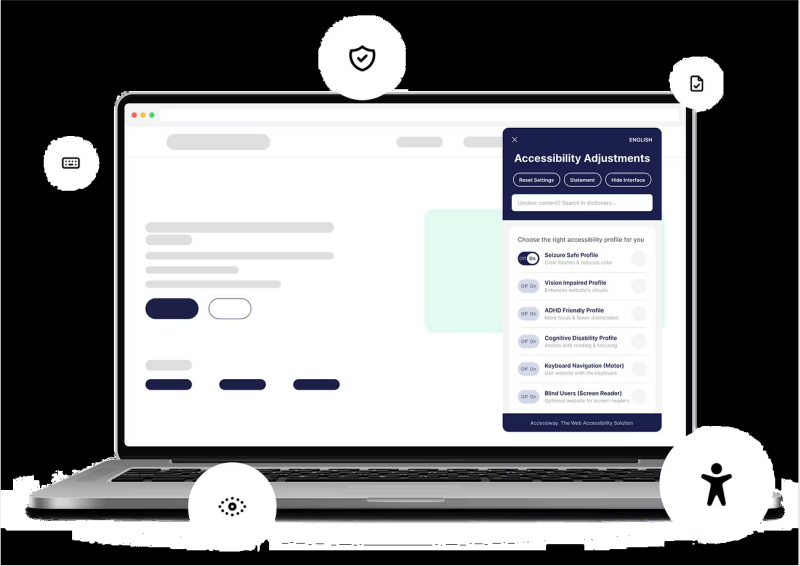
An accessibility widget like Accessiway's offers various customization options for better accessibility on websites and applications. Image: Accessiway
Managing Accessibility Debt at Scale
The underlying problem behind many failed compliance projects is that accessibility debt builds up continuously, not just once. Every new feature, every content release, and every redesign can introduce new barriers, even if the last review wasn't long ago.
"There's still a real cultural gap around accessibility. It shows up most clearly in how companies treat it as a one-off project: fix the site once, hit compliance, done. But the web keeps changing, new posts, new code, and within months the barriers are back. This stop-start approach is expensive: fixing years of accumulated errors costs far more than maintaining accessibility continuously. It's not a one-time destination but ongoing maintenance, training, monitoring, and periodic testing are what actually protect the investment." – Alessia Pia Colella, Accessibility Expert at Accessiway
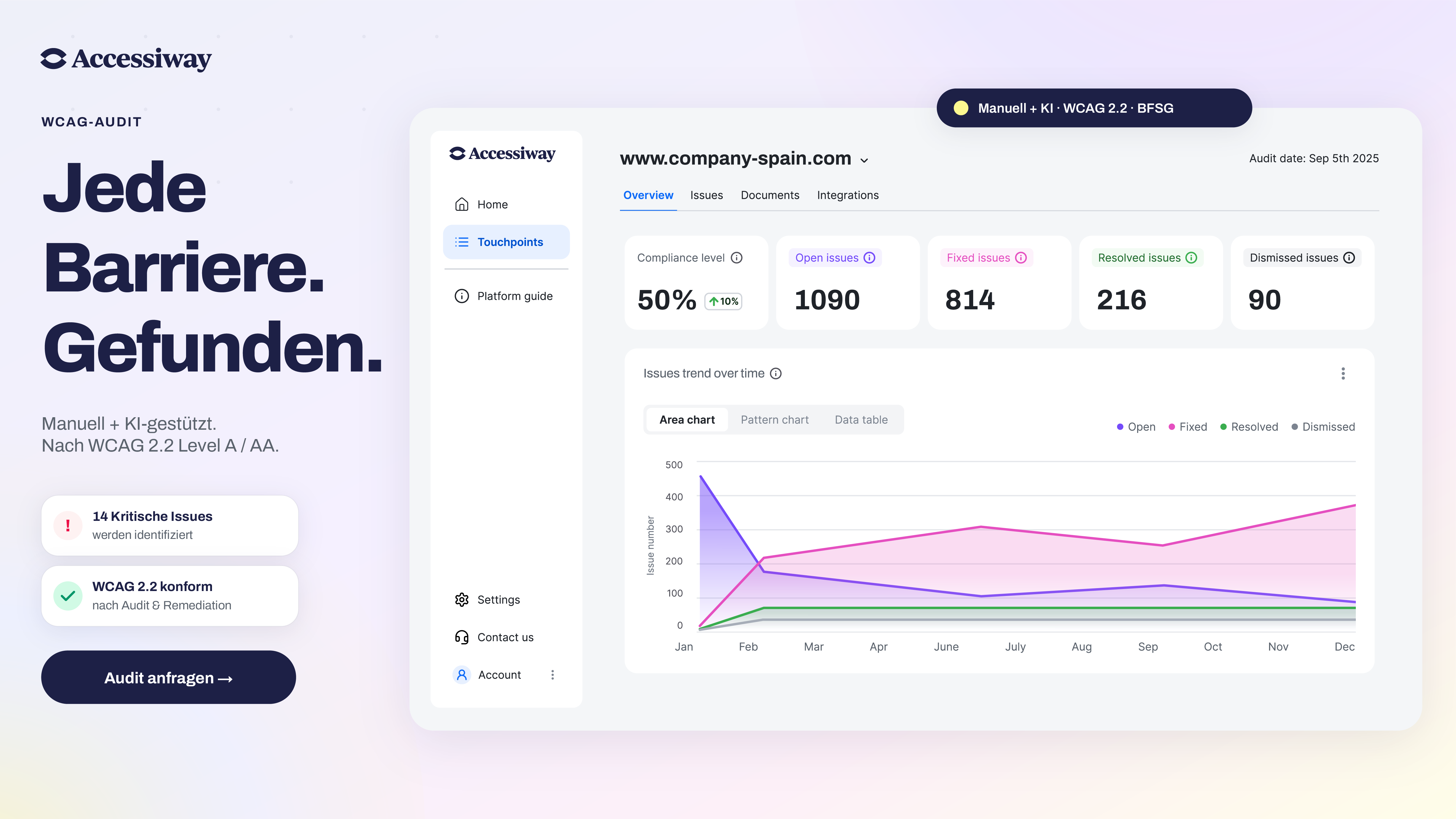
A scalable programme needs more than individual audits. A central dashboard with issue tracking makes sure that identified problems don't get lost in spreadsheets. A Jira integration moves problems directly into the development team's workflow. Through the dashboard, all teams, from IT to compliance to marketing, keep track of compliance status across their products and stay on the same page.
Companies tend to underestimate two things when it comes to accessibility. First, accessibility is increasingly becoming a prerequisite in B2B procurement. Public sector tenders in particular now often require concrete proof of compliance before a bid is even considered. Second, user testing with people with disabilities uncovers barriers that even the most thorough technical audit misses because it's not about criteria here; it's about lived experience.
Beyond these two points, it's worth looking at the formats that most often fall through the cracks in everyday practice: PDFs and other documents, for which PDF remediation is the answer, and the knowledge inside the team itself, which developer training helps anchor for the long term.
All of these building blocks ultimately feed into a document that companies have to produce anyway: the accessibility statement. Its content comes directly from audit results and answers questions such as the following:
- What level of conformance was achieved?
- Which barriers have already been fixed?
- Which barriers still remain, and by when will they be resolved?
Without a structured accessibility audit, these questions only get vague answers. That makes the accessibility statement both a legally required document and a trust signal to the outside world.
Who Conducts Accessibility Audits? Accessiway at a Glance
Accessiway is a European accessibility platform that combines audits by certified experts with a SaaS platform. The company operates across five markets, including Germany and Austria, and works with mid-size to large organisations in e-commerce, financial services, the public sector, and healthcare. Rather than treating accessibility as a one-off project, the platform covers the entire process, from the first scan through the audit to ongoing monitoring in everyday operations.
| Building block | What it delivers |
|---|
| Free website scan | Initial automated overview of obvious barriers with Accessiway's accessibility scanner |
| Accessibility audit by IAAP-certified experts | Manual deep review of templates, user flows, and interactive elements against WCAG 2.2 AA |
| Platform dashboard | All findings classified, prioritized, and visible in real-time, shared view for IT, compliance, and marketing |
| Jira integration | Bidirectional connection, findings land directly in the development team's workflow without manual exports |
| Retest and validation | Implemented fixes are reviewed by Accessiway, instead of companies self-certifying |
| PDF Solution Suite | Accessible remediation of documents such as reports, forms, and publications |
| User testing | Users with disabilities test as experts on their own experience, uncovering barriers technical audits miss on their own |
| Accessiway Widget | Additional customization options for users, complements the audit but doesn't replace it |
| Accessibility statement and compliance badge | Publicly visible proof of the conformance level achieved, important for procurement and brand trust |
Audit results from Accessiway feed directly into a platform dashboard, where they're classified by severity, prioritised, and ready to act on. Through a bidirectional Jira integration, findings land directly in development teams' workflows without manual exports or spreadsheets. More on how the platform works is available on the
Accessiway platform page.
Accessiway's offering is complemented by the PDF Solution Suite for accessible documents and the Accessiway Widget, which supports accessibility further without replacing the audit. Added to that is thorough user testing: people with disabilities take part as experts on their own experience, testing how a digital product actually holds up in everyday use.
More than 2,000 organisations already rely on Accessiway's solutions, including large e-commerce companies, banks and insurers, public institutions, healthcare, and B2B SaaS companies.
Good to Know
Good to know: Alongside the German BFSG, Accessiway also covers the Austrian Barrierefreiheitsgesetz (BaFG). It has applied since the same date, 28 June 2025, and sets similar requirements for websites and apps as Germany's BFSG, with its own fine framework of up to €80,000.
"Most companies come to accessibility for regulatory reasons, a compliance deadline, a legal requirement. So they focus on a compliance percentage, but that number doesn't reflect real usability: a single error can block many people even when the reported score is high. Often, during post-audit meetings, clients ask me how to personally reproduce the errors to truly understand their impact. It is precisely then that accessibility stops being a compliance requirement and turns into a question: "How can I truly improve my service for those who use it?" An inaccessible banking site can mean someone can't complete a wire transfer; an inaccessible e-commerce site can mean a lost sale. Accessibility shapes people's daily lives." – Ambra Fabbri, Accessibility Expert at Accessiway
Conclusion: Why an Audit Pays Off Beyond EAA Compliance
The EAA makes the accessibility audit mandatory. For companies, though, the opportunity reaches far beyond simply avoiding steep fines:
- Accessibility improves the user experience for everyone.
- Captions help not only deaf users, but also anyone watching videos without sound.
- Working keyboard navigation benefits anyone without a mouse at hand in the moment.
It pays off commercially, too. Accessible websites typically see more organic traffic, because SEO and accessibility technically reinforce each other in many places. Waiting, on the other hand, means accumulating debt that gets more expensive with every new feature and every redesign. A structured accessibility audit, for example with support from
Accessiway, is the first concrete step out of that spiral.
Note: The tips and legal information in this article are a summarised overview of the applicable principles. No claim is made as to the completeness or accuracy of the information provided. This article does not replace comprehensive case-by-case review and advice from a qualified law firm.